Supplements to ET 200SP documentation
2.3 Interface module manuals
Product information on the documentation of the ET 200SP distributed I/O system
Product Information, 09/2019, A5E03799595-BD
35
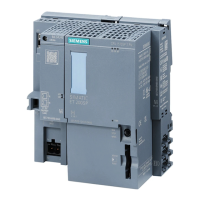
Equipment manual IM 155-6 PN/3 HF, Edition 10/2018
Section 2.2 Functions
The "Interface-local coupling of IO data" function can also be used in addition to GSDML
with STEP 7 (TIA Portal) as of V15.1 with HSP285.
Table 2-1 Version dependencies of the module functions
The "Interface-local coupling of IO data" function is possible with STEP 7 (TIA Portal) as of
V15.1 with HSP285.
Section 6 Compatibility
Restoring the factory settings on the interface module via the RESET button
There is a special operation for interface module IM 155-6 PN/3 HF to reset it to the factory
settings using the Reset button.
Requirements
The supply voltage to the interface module must be switched on.
Required tool
3 to 3.5 mm screwdriver (for resetting via the RESET button)
Procedure
1. Remove the interface module from the mounting rail and swivel it downwards.
2. The RESET button is located on the back of the interface module behind a small opening:
Push a screwdriver into the small opening, thus pressing the RESET button.
3. Release the RESET button.
4. Press the RESET button for another 3 seconds.
5. Look at the LED display of the interface module to see whether the reset was successful:
RUN LED flashes for 3 seconds, ERROR and MAINT LED are off.
6. Install the interface module back on the mounting rail.
7. Configure the interface module again.
IM 155-6 PN HF manual, Edition 12/2015
Section 3.1 Pin assignment
PROFINET interface X1 Port 2:
If autonegotiation is disabled, the RJ-45 socket (X1 Port 2) has the switch assignment (MDI-
X).



 To Next Page