Overview
1.1 Product description
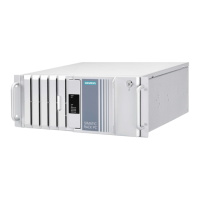
SIMATIC IPC547G
14 Operating Instructions, 04/2020, A5E49948632-AA
Installation options of drives in a short enclosure
Basic design On a drive bay plate on the front, see section "Install and replace the internal hard disk, short
enclosure (Page 85)" and "Installing and replacing SSDs, short enclosure (Page 87)".
Number of drives for
internal, robust instal-
lation
2 (3.5"/2.5")
Monitoring and safety functions
Device with standard enclosure
Device with short enclosure
Temperature
• Violation of high/low limits of permitted operating temperature
Fan
• Speed monitoring
Watchdog
• Monitoring functions for program execution
• Monitoring time can be parameterized in software
• Restart can be parameterized in the event of a fault
• Warnings can be analyzed by application program (local, via LAN)
Status displays, front
• POWER – internal power supply available, PC switched on
• HDD – access to hard disk drive / SSD
• TEMP – temperature status
• FAN – fan status
• HDD alarm – hard disk drive / SSD status in connection with RAID and monitoring software
Status displays, rear
• Redundant power supply
-


 To Next Page