Connecting
5.4 System integration
1FK7 G2 synchronous motors
Operating Instructions, 05/2021, A5E50907562B AA
77
Procedure
1. Mount and lock the RJ45 connector.
2. Push the loosening protection over the signal connector.
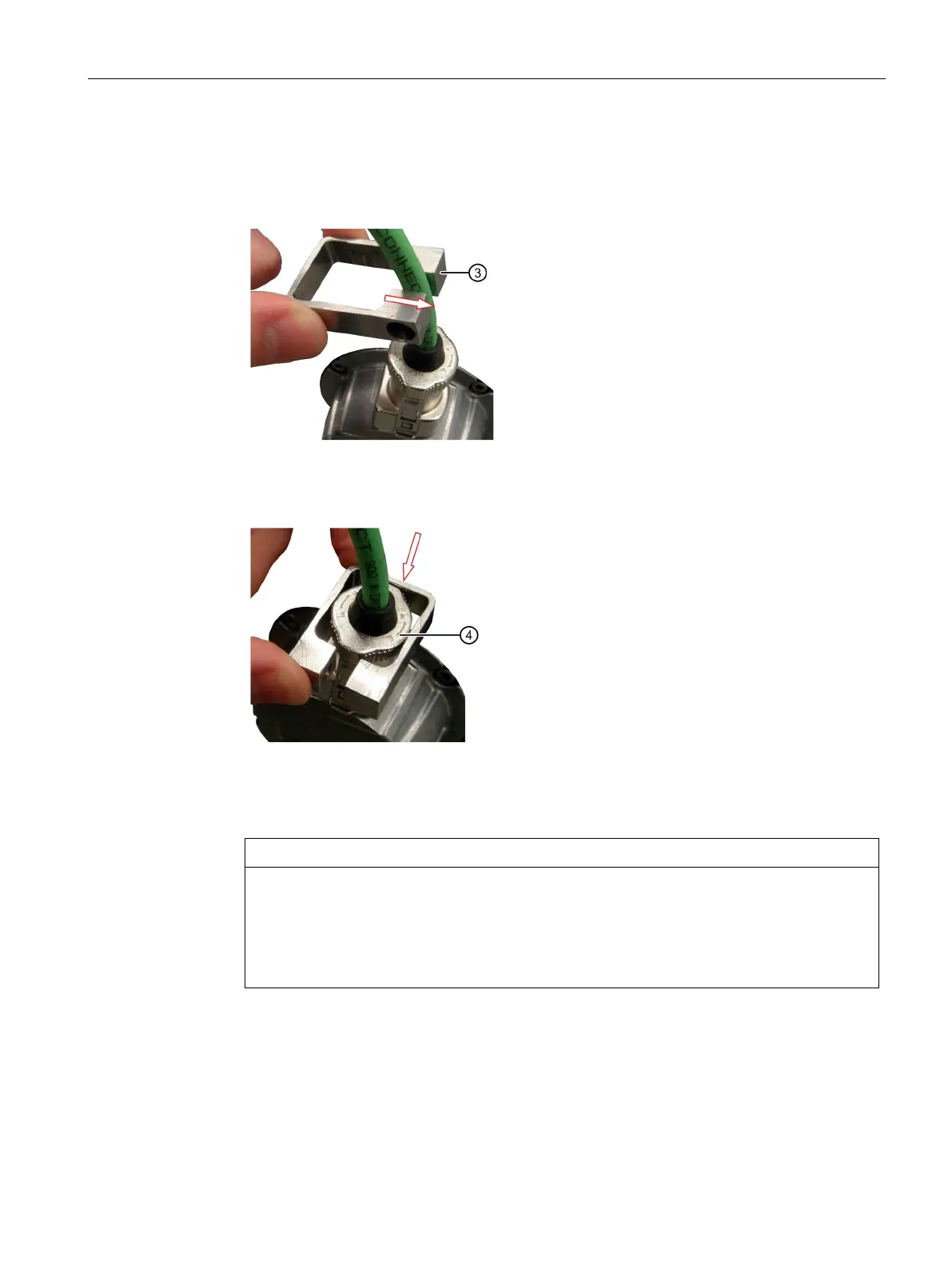
3. Turn the loosening protection over the connector. Push the loosening protection further
over the connector locking as shown in the following figure.
4. Push the loosening protection further down, while turning the loosening protection through
90°.
Unintentional unlatching of the RJ45 connector
The RJ45 connector can be unlatched unintentionally by turning the loosening
protection.
• When turning the loosening protection, make sure that the RJ45 connector has not



 To Next Page