ç Organiser
96
SL55 Fugu, lang en, A31008-H4910-A1-2-7619 (6. March 2003, 13:09)
© Siemens AG 2001, I:\Mobil\L55\SL55_Fugu\en_v2\Langversion\SL55_Organizer.fm
Dictating machine
Use the dictating machine to record
short voice memos.
• Use your phone as a dictating ma-
chine when on the move.
• Record a memo as a reminder or
as a note for others.
• Add a voice memo to an alarm in
the Calendar (p. 92).
• Record a call - useful for remem-
bering numbers or addresses.
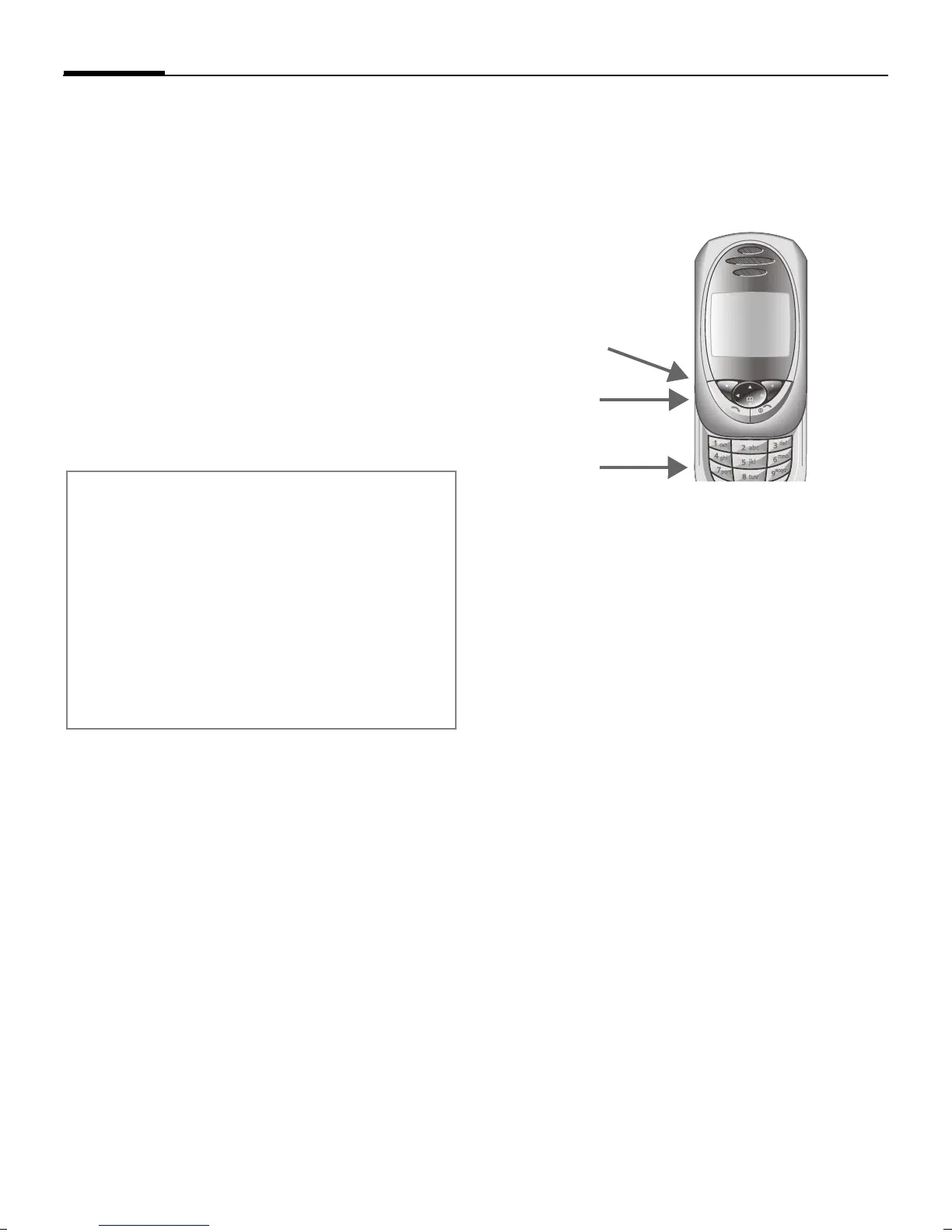
Control using the side keys
The voice functions can be control-
led quickly and easily in standby
mode using the side keys.
New recording
Press the dictation key for the dura-
tion of the recording. The maximum
possible recording period is shown.
Recording starts after a short beep.
Pause
Release the dictation key for a maxi-
mum of 10 seconds to pause record-
ing. If you press the key again, re-
cording is resumed, otherwise it is
stopped.
Save
Recording is stopped if you release
the dictation key for more than
10 seconds.
§Stop§ End recording.
Recording is automatical-
ly saved with a time
stamp.
§Save§ Name recording.
§Save§ Save recording.
Warning!
The use of this feature may be subject to
restrictions under criminal law.
Please inform the other party to the conver-
sation in advance if you want to record the
conversation and please keep such record-
ings confidential.
You may only use this feature if the other
party to the conversation agrees.
Loud
Quiet
Record/play
back
(dictation key)


 To Next Page