SIGLENT
SPD3000X QuickStart 7
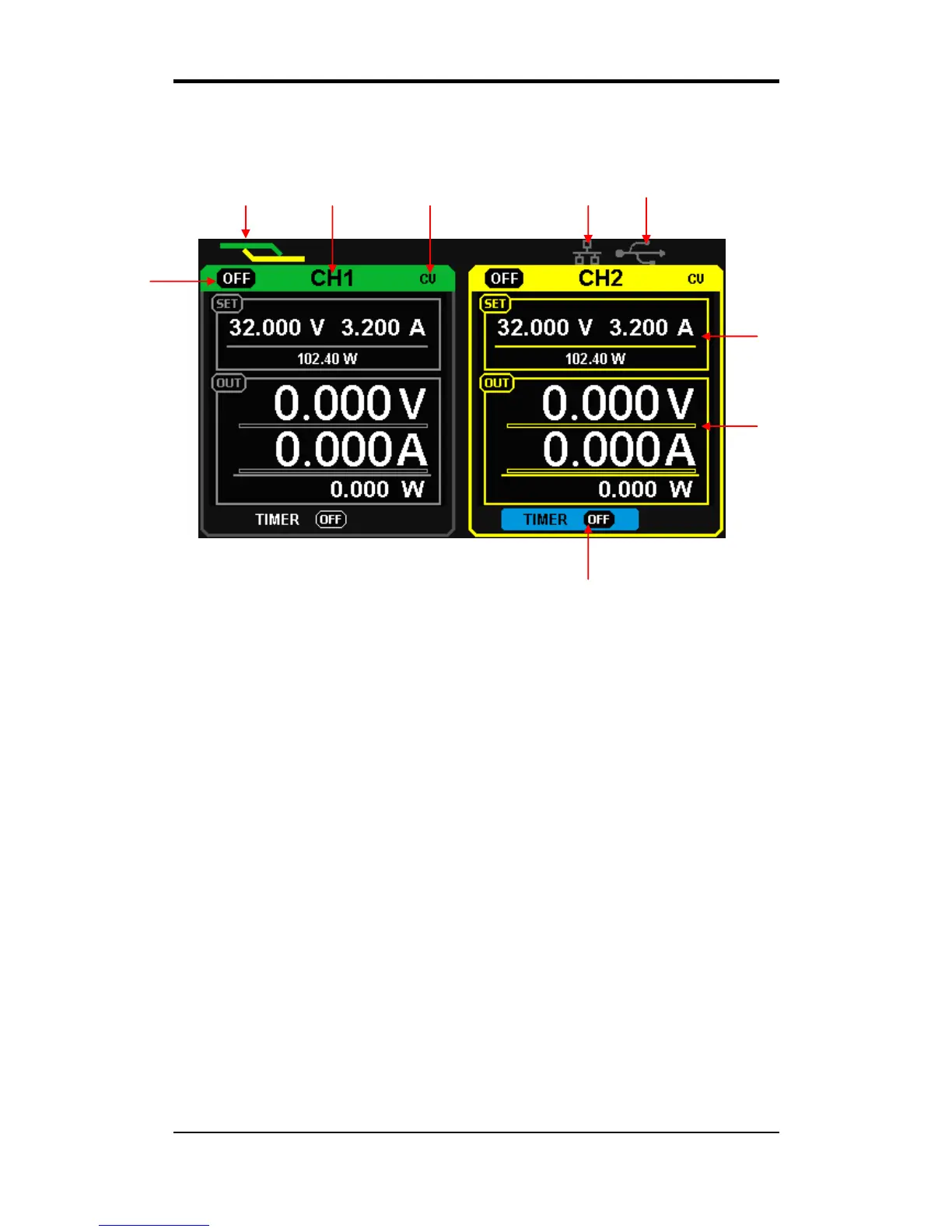
User interface
○
1 Parallel/Series logo: The logo will be displayed when the corresponding
mode is on
○
2 Channel logo
○
3 Operating mode logo: The corresponding logo will display when working in
CV or CC mode;
○
4 LAN logo: It will display when there is a LAN connection
○
5 USB logo: It will display when there is a USB connection;
○
6 Set value;
○
7 Readback value;
○
8 Timer lD: Timer state identification;
○
9 Channel output on/off logo;



 To Next Page