SIGLENT
SPD3000X QuickStart 23
2.11 Upgrade firmware
The software of the instrument is upgraded with a fixed name file via PC
management software with USB or LAN. The upgrade method is below:
Upgrade in normal Interface
1. Open the EasyPower software after USB line or network cable having been
connected perfectly, and make sure the instrument is connected with the
software normally;
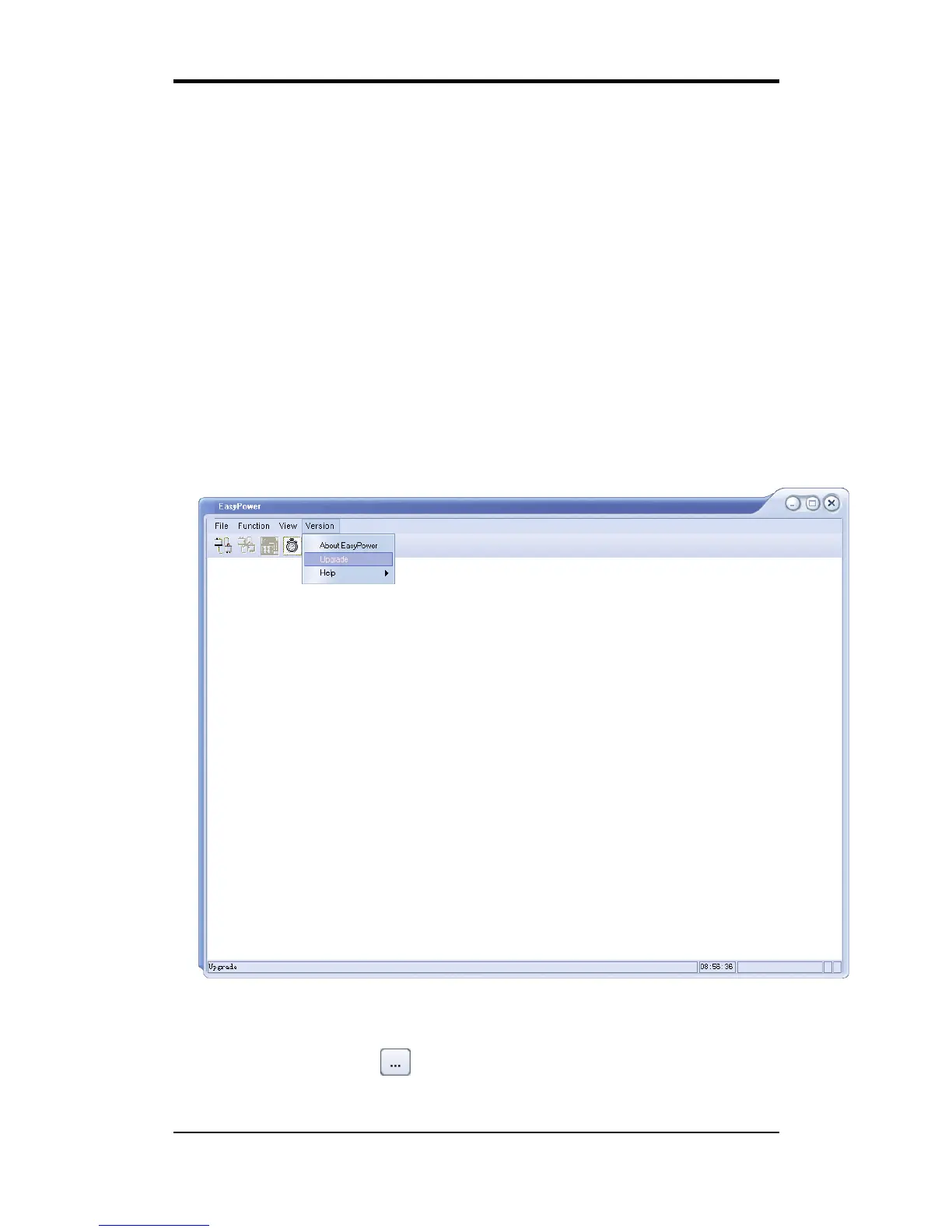
2. Click Version and then choose Upgrade in the drop-down menu to enter the
firmware upgrade dialogue; See figure 1:
Figure 1
3. Figure 2 shows the firmware upgrade dialog. Choose “Normal Mode” and
click file choosing icon , a dialog will popup as it shows in figure 3 and
then select the file to be upgraded which must have a postfix .ADS;



 To Next Page