SA300 Installation Instructions
6.3. Change Operating Parameter Settings
The SA300 default operating parameter settings can be adjusted to better suit the installation. See Section 6.3.2
for a full list of basic and advanced parameters.
•
Ensure the door is fully closed – the door operator control display should read “DOOR CLOSED.”
•
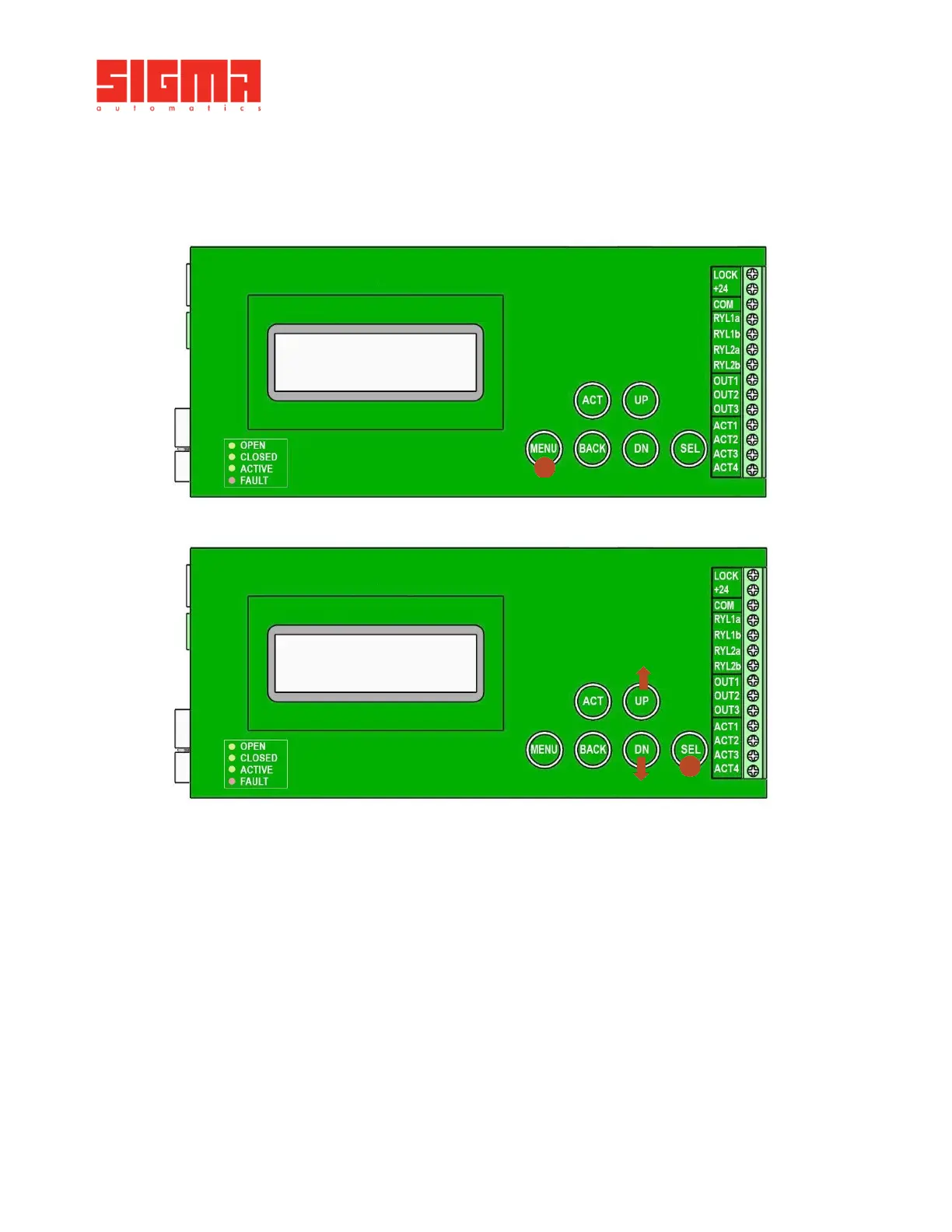
Press the MENU button on the control Board to enter the Main Menu.
•
Using the UP and DN buttons, scroll up or down until “[Settings]” is displayed.
•
Press the SEL button to enter the Settings menu.
•
Using the UP and DN buttons, scroll up or down until the required parameter and its current value is
displayed.
•
Press the SEL button again to edit the parameter.
•
Using the UP and DN buttons, scroll up or down until the required parameter value is achieved.
•
Press the SEL button again to set/confirm the new parameter value.
•
Press BACK to return to the Basic Settings menu in order to select another basic parameter.
•
Press BACK a second time to return to the Main Menu.
SETTINGS [01]
Overload 70


 To Next Page