SA300 Installation Instructions
7.
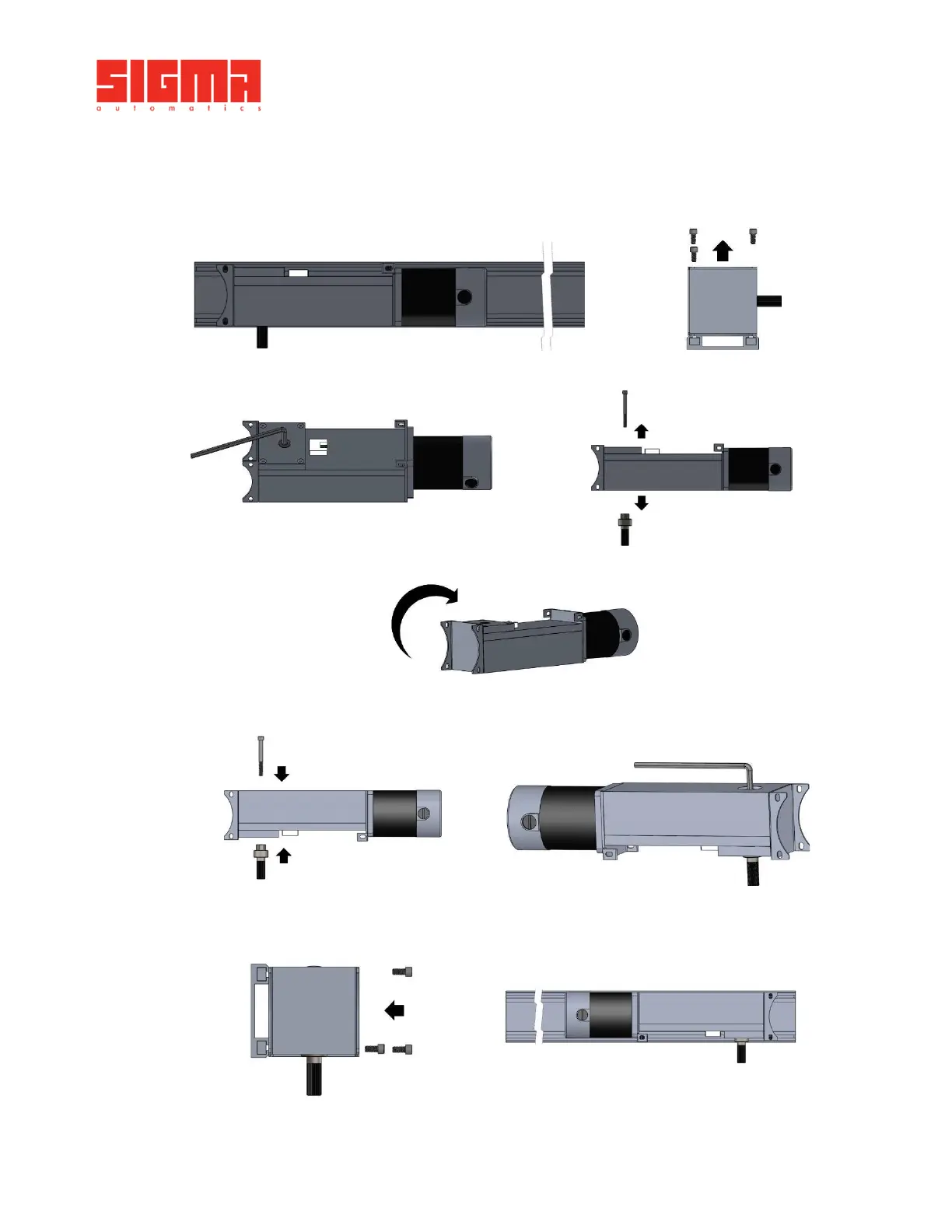
Motor Hand Swap
Step 1: Take out the 3 mounting screws.
Right Hand configuration
Step 2: Take out the shaft mounting screw on top of the gearbox and disengage the shaft from the
hub
Step 3: Flip the gearbox 180°
Step 4: Screw the shaft on the gearbox from the bottom
Step 5: Place the gearbox back on the track and screw the 3 mounting screws on
Left hand configuration
Image should be mirrored


 To Next Page