AFTER SALES SUPPORT
1300 777 137
service@unclebills.com.au
MODEL: EA2306 PRODUCT CODE: 713007 08/2023
18
Instructions (cont.)
NOTE: Not all Bluetooth
®
devices support all these functions listed
above. Please refer to the instruction manual of your Bluetooth
®
device
for further information.
NOTE: Any incoming calls received while audio streaming will
automatically pause the music and resume once your call has ended.
NOTE: Ensure your voice-based digital assistant is active, prior to using
it, to make calls in standby mode. For detailed instructions, please refer
to page 16.
Intercom Pairing
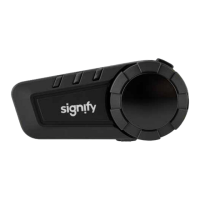
The Motorcycle Bluetooth
®
Kit features an intercom connectivity function to
another rider or pillion with the additional purchase of another Motorcycle
Bluetooth
®
Kit. Please follow the steps below to pair the intercom function to
another headset.
1. Make sure both headsets are turned off prior to pairing.
2. Press and hold the power/intercom button of both units at the same
time for approximately 8 seconds until the LED indicator is ashing (red
and blue) and the headsets voice prompt says 'pairing'.
NOTE: Ensure both headsets are placed next to each other when pairing.
NOTE: While pressing and holding the power/intercom button for
approximately 8 seconds, the headset will boot-up rst and the voice
prompt will say 'power on'. To pair, continue to hold the power/intercom
button until the LED indicator starts ashing (red and blue) and the voice
prompt says 'pairing'. If your headset is currently not paired with another
headset or Bluetooth
®
device, then your headset might enter pairing
automatically right after the voice prompt 'power on'.


 To Next Page