AFTER SALES SUPPORT
1300 777 137
service@unclebills.com.au
MODEL: EA2306 PRODUCT CODE: 713007 08/2023
24
Instructions (cont.)
Audio Streaming
The Motorcycle Bluetooth
®
Kit features audio streaming via a Bluetooth
®
enabled device such as a Smartphone or MP3 player.
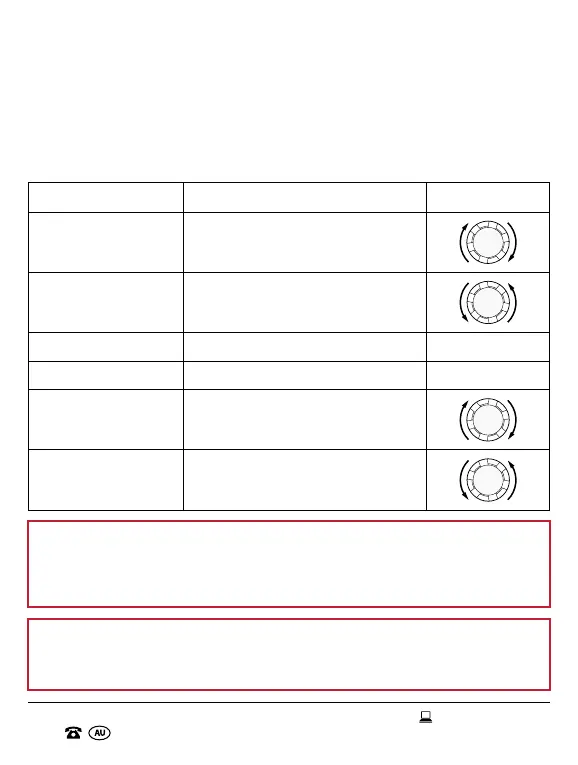
Audio Streaming Playback Controls
Function Action Button
Increase Volume Turn and hold the jog dial clockwise.
Decrease Volume
Turn and hold the jog dial
anticlockwise.
Play Music Short press. Multifunction
Pause Music Short press. Multifunction
Next Track
Turn the jog dial clockwise and
quickly release.
Previous Track
Turn the jog dial anticlockwise and
quickly release.
NOTE: When streaming audio from your Bluetooth
®
device, always be
aware that you may need to adjust the volume on both the headset and
the connected device to reach the required volume level. Please see the
table above for instructions on how to adjust the volume via the headset.
NOTE: When streaming audio from your Bluetooth
®
device, you can
only use the next and previous track function if you have more than one
track in your media folder.


 To Next Page