19
AFTER SALES SUPPORT
1300 777 137
service@unclebills.com.au
MODEL: EA2306 PRODUCT CODE: 713007 08/2023
Instructions (cont.)
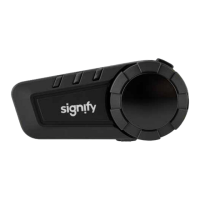
3. Short press the power/intercom button on one of the headsets so that it
will begin to search for the second headset.
4. When the headsets have paired together successfully, both headsets will
beep. The headset voice prompt will say 'intercom connected' and the LED
indicator will begin to ash (blue).
5. The headsets are now paired for intercom, and you can start talking to each
other.
NOTE: To pair your headset with another brand Bluetooth
®
headset
follow instructions above for your headset and simultaneously follow
the pairing instructions (as provided by the manufacturer of the other
headset) on the other brand Bluetooth
®
headset. Prior to pairing, please
check if the other brand Bluetooth
®
headset supports pairing with
other brands.
Ending Two-Way Intercom
1. Short press the power/intercom button on any one of the two headsets.
Once the headsets voice prompts ‘intercom disconnected’, the
intercom connection between the two headsets has ended.
NOTE: Once the intercom connection has ended, both the headsets will
return to standby mode and can once again operate independently. At
this stage, the intercom connection between the two headsets remains
paired, but disconnected. To start a two-way intercom again, simply
short press the power/intercom button on any one of the headsets, wait
for voice prompt ‘intercom connected’ and then begin talking.
NOTE: To permanently end the intercom connection between the two
headsets, perform a headset reset on either of the two headsets (see
instructions on page 23).


 To Next Page