14 of 26
V 04.21_EN
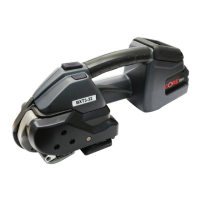
SIGNODE BXT3-32
4.3 Setting strap tension
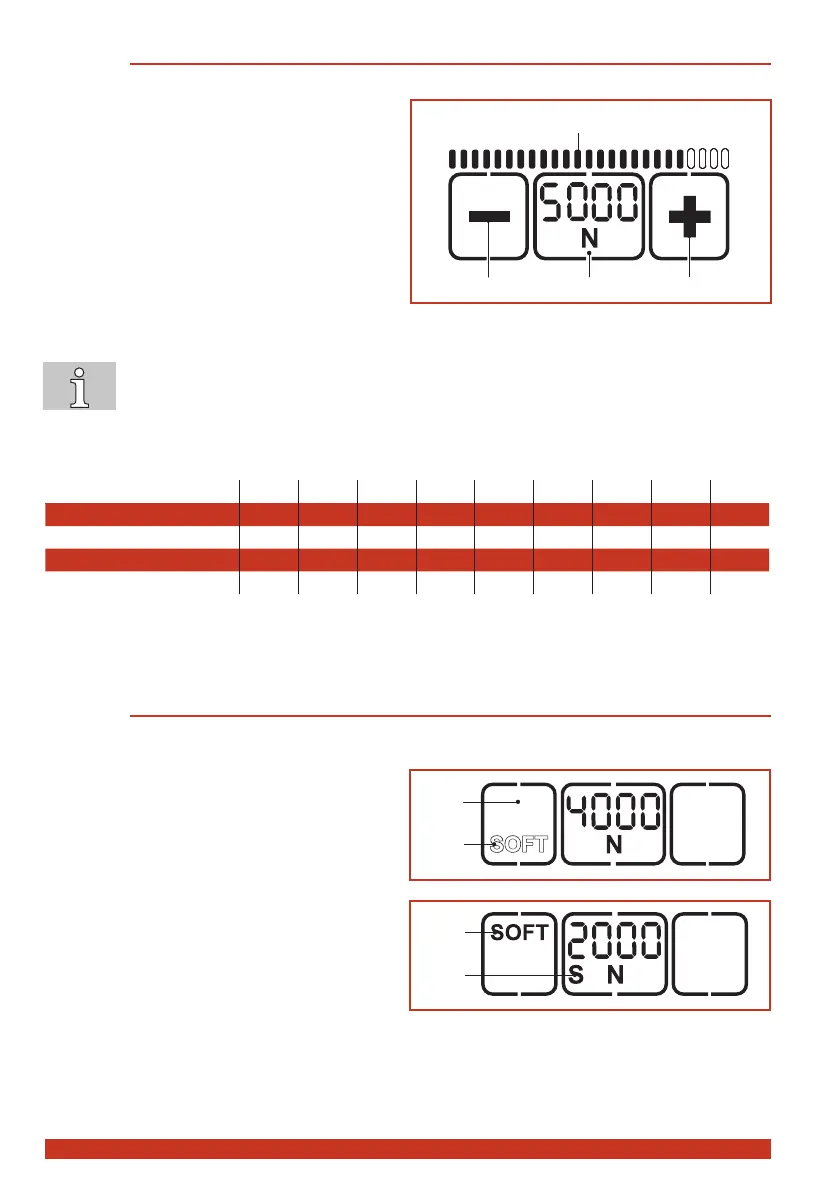
The set tension force is displayed continuously when the tool is ready for operation.
► Press "Tension force" button (2).
– Thesettensionforceashesfor5sec-
onds.
– The + (1) and – (3) buttons appear.
– Unused displays disappear.
► Press the + (1) or – (3) button until the desired
tension force is displayed.
– The status indicator bar (4) shows the set
tension force in relation to the possible
maximum value.
► Save: Press the "Tension force" button (2) or
wait for 5 seconds.
● Switchbetweendisplayin"N"or"lbf":Presstheashing"Tensionforce"button(2)for
two seconds.
● Everytimethebuttonispressedanacousticsignalconrmstheaction.
● The tension force is displayed continuously when the tool is operational.
● Setting soft tension (Section 4.4).
BXT3-32: 1 2 3 4 5 6 7 8 9
Standard: N* 3000 3500 4000 4500 5000 5500 6000 6500 7000
lbf* 675 785 900 1000 1120 1240 1350 1460 1570
Soft N 1000 1500 2000 2500 3000 3500 4000 4500 5000
lbf 225 335 450 560 675 785 900 1000 1120
(rounded values)
* N = Newton, lbf = pound-force per square inch
4.4 Setting soft tension
When soft tension is set the tension wheel starts more slowly and the tension force is reduced. This
prevents excessive soiling of the straps.
► Press “Soft” button (1).
– The soft mode is deactivated when the
“SOFT” display (2) changes position and
is shown outlined.
► Press “Soft” button (1).
– The soft mode is activated when the
“SOFT” display (3) changes position and
is shown in bold.
– The displayed tension force is reduced
correspondingly.
– On the left under the tension force an “S”
(4) also appears.
4
1
2
3
4


 To Next Page