Programming a Route
Navigation Device PNA-E3540N 39
Navigation
In Map browsing view, your route will appear as a blue line. Furthermore, the
following information will appear:
Distance to destination
Estimated time of arrival
Time left
Please see page 45 for how to edit your route by using the button Details.
Additionally, you can also edit your route at any time, even while navigating
(see page 43).
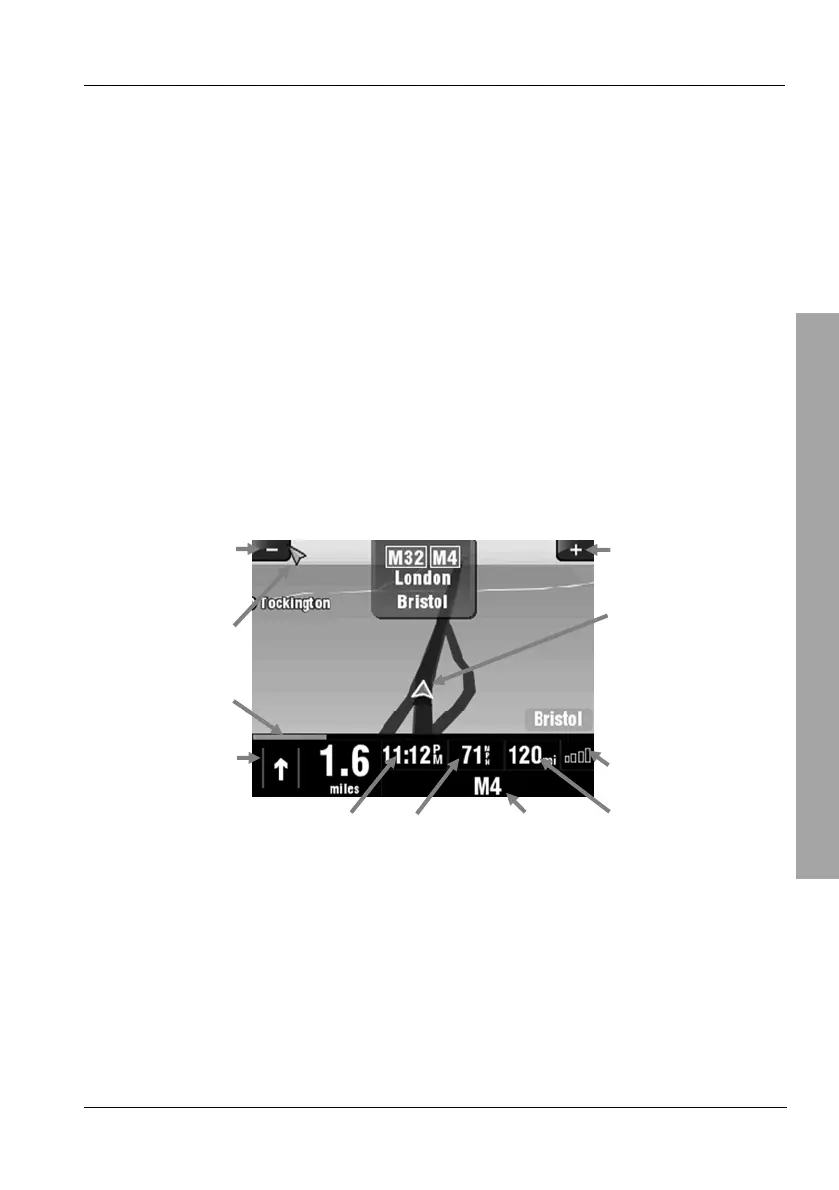
3.3.2 Navigation Display
During navigation, the map will display as follows:
Zoom out Zoom in
Direction to
destination
Position m allowed
speed
Progress indicator
GPS status
Next manoeuvre
and distance to
next manoeuvre
Estimated time
of arrival
Current speed Co-ordinates
of present
position
Distance to destination
The information shown at the bottom of the display can be customised. For
more information, please read page 62 - Configuring the Displayed
Information.



 To Next Page