Ú
on the le the content of the voice recorder, assigned the drive letter (L:). in
our example one dictation recording (DICT.DVS) is saved on the voice re-
corder. Should a memory card be inserted in the memory card slot
o
on the
voice recorder: the content of the memory card, in our example (N:).
Ú
on the right, the content of the hard drive (C:) of the PC.
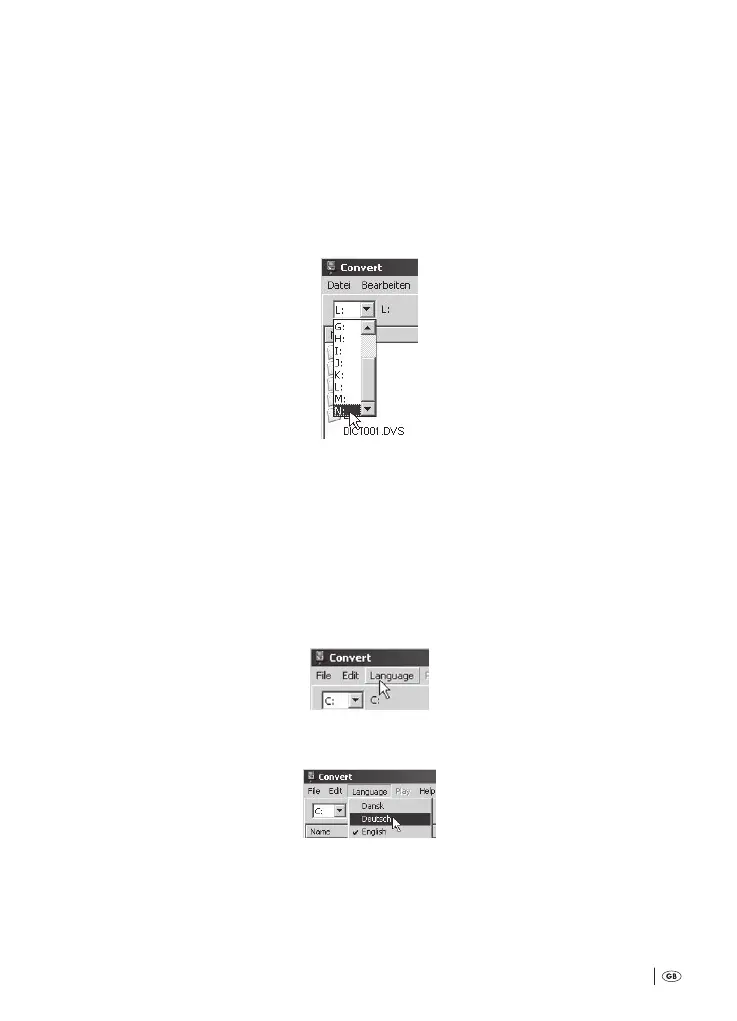
Should you wish to rotate between the display of the voice recorder content and the
display of the memory card content: Click on the dropdown menu above the le
window:
ere, select the drive letter of the removable media whose content should be displayed
in the le window. In our example you would select (N:) to display the content of
the memory card; should you again wish to display the content of the voice recorder,
you would select (L:).
6
First of all, if need be, programme the language of the soware »Convert« into
your own vernacular. For this, click in the menu bar at the upper edge of the
window on »Language«:
en select the required language from the drop down list:
e menu bar at the upper edge of the window and their menu items now appear
in the selected language.
Bedienungsanleitung KH 2450 EN.indd 65 23.12.2008 23:09:48



 To Next Page