CRYSTALCUBE—User Manual
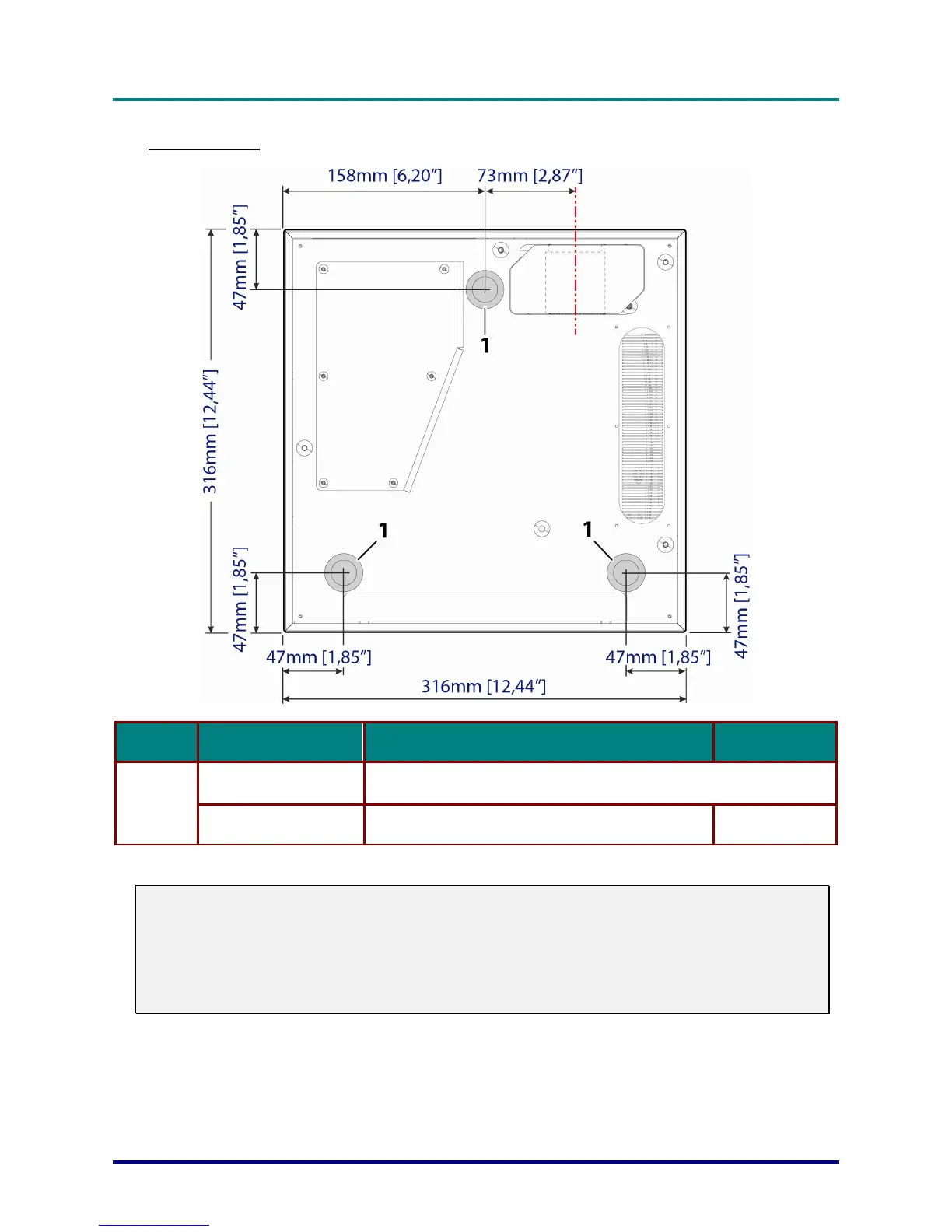
Bottom view
ITEM LABEL DESCRIPTION SEE PAGE
Ceiling support holes
Contact your dealer for information on mounting the projector on a
ceiling
1.
Tilt adjustor Rotate adjuster lever to adjust angle position.
16
Note:
When installing, ensure that you use only UL Listed ceiling mounts.
For ceiling installations, use approved mounting hardware and M6 screws.
The construction of the ceiling mount must be of a suitable shape and strength. The ceiling mount
load capacity must exceed the weight of the installed equipment, and as an additional precaution
be capable of withstanding three times the weight of the equipment (not less than 12 kg) over a
period of 60 seconds.
– 5 –



 To Next Page