CRYSTALCUBE—User Manual
Advanced 1 Feature
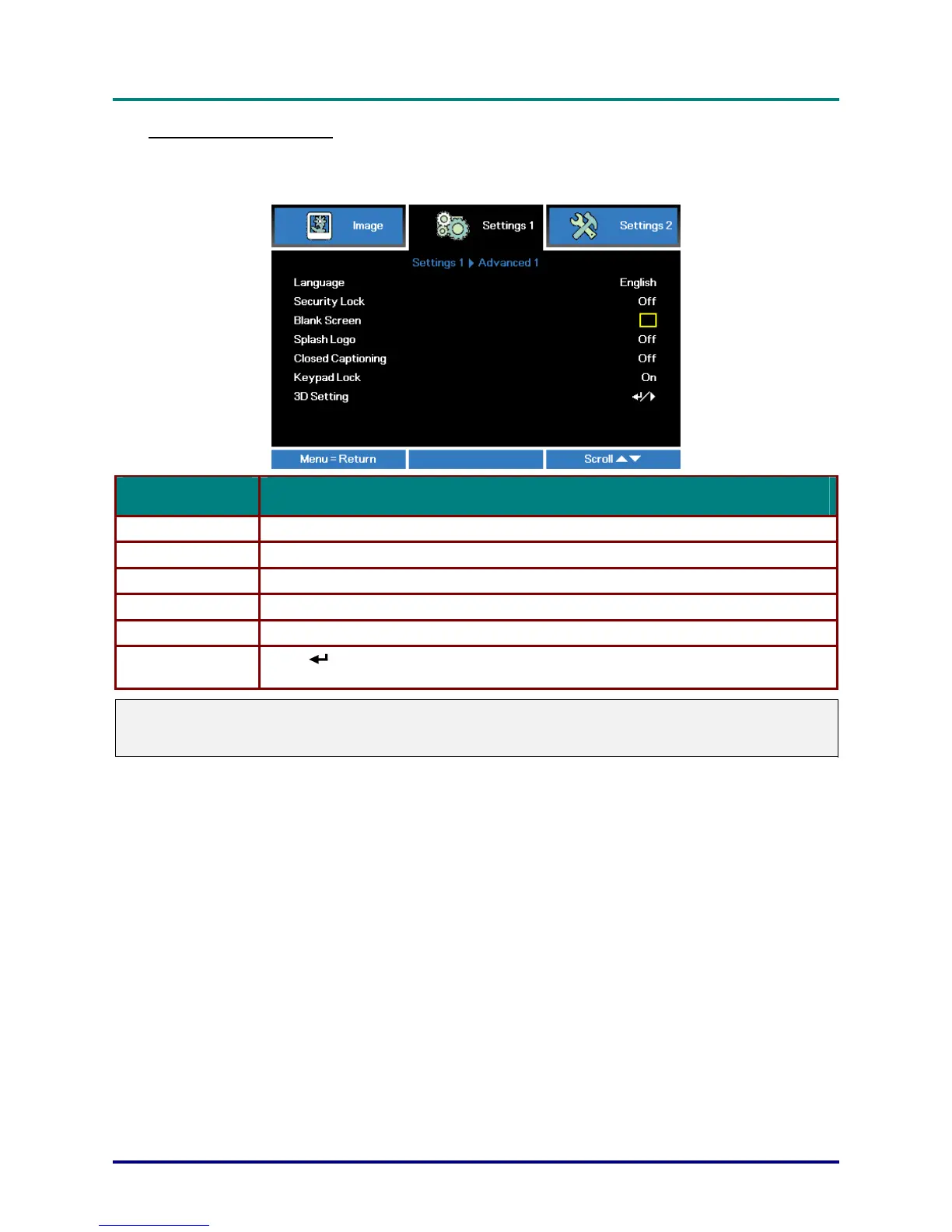
Press the Menu button to open the OSD menu. Press ◄► to move to the Settings 1 menu. Press
▲▼ to move to the Advanced 1 menu and then press Enter or ►. Press ▲▼ to move up and down
in the Advanced 1 menu. Press ◄► to enter and change values for setting.
ITEM DESCRIPTION
Language Press the cursor ◄► button to enter and select a different localization Menu.
Security Lock Press the cursor ◄► button to enter and enable or disable security lock function.
Blank Screen Press the cursor ◄► button to enter and select different color to blank the screen.
Splash Logo Press the cursor ◄► button to enter and select splash logo on or off.
Closed Captioning Press the cursor ◄► button to enter and enable or disable Closed Captioning
3D Setting
Press
(Enter) / ►to enter the 3D menu. See page 28 for more information on 3D
Setting.
Note:
To enjoy the 3D function, first enable the Play Movie in 3D setting found in your DVD device under the
3D Disc Menu.
– 27 –



 To Next Page