CRYSTALCUBE—User Manual
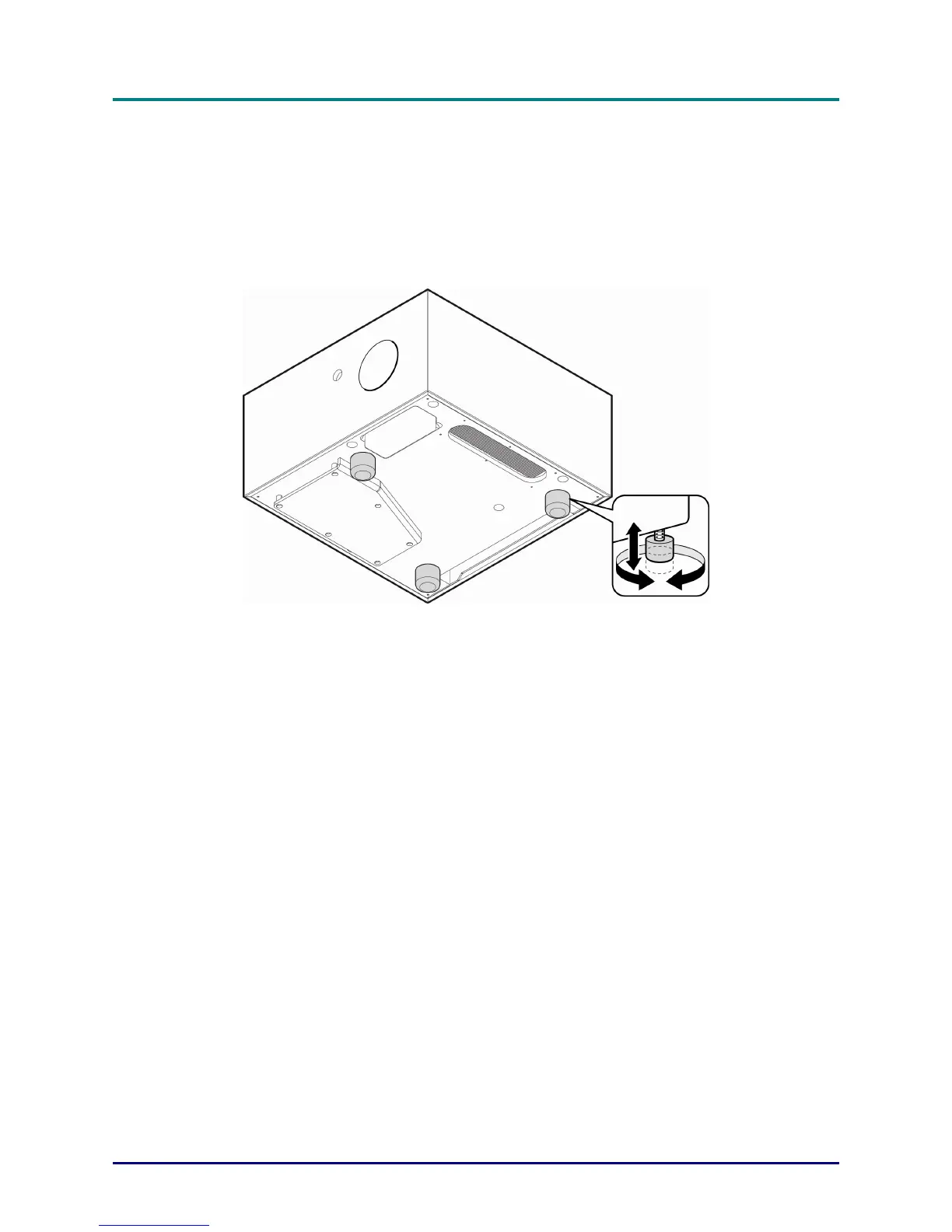
Adjusting the Projector Level
Take note of the following when setting up the projector:
The projector table or stand should be level and sturdy.
Position the projector so that it is perpendicular to the screen.
Ensure the cables are in a safe location.
To adjust the angle of the picture, turn the tilt-adjuster clockwise or anticlockwise until
the desired angle has been achieved.
In case of projection with reduced projection angle (angle between the base and the
screen center) use the special tilt-adjuster included in the accessory kit (15 mm long)
in place of the frontal one (30 mm long).
— 16 —



 To Next Page