EasyManua.ls Logo

Sim2 CRYSTALCUBE - Image and Audio Adjustment Controls

Sim2 CRYSTALCUBE
61 pages
Print Icon
To Next Page IconTo Next Page
To Previous Page IconTo Previous Page
Loading...
CRYSTALCUBE—User Manual
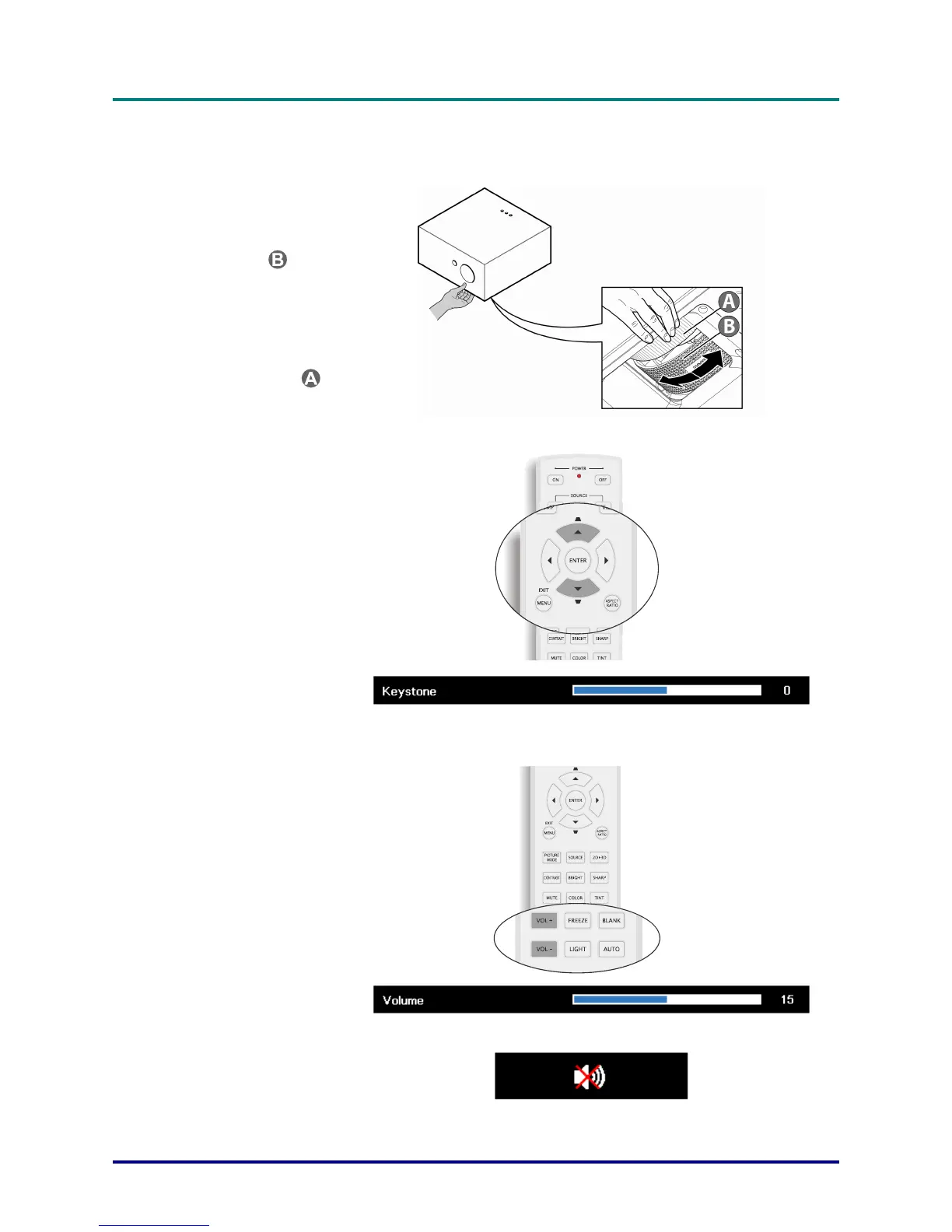
Adjusting the Zoom, Focus and Keystone
1.
Use the Image-zoom
control (on the projector
only) to resize the
projected image and
screen size
.
2.
Use the Image-focus
control (on the projector
only) to sharpen the
projected image
.
3.
Use the RC via OSD
(keystone feature) to
correct image-trapezoid
(wider top or bottom)
effect.
4.
The keystone control
appears on the display.
Adjusting the Volume
1.
Press the Volume +/-
buttons on the remote
control.
The volume control
appears on the display.
2.
Press the MUTE button
to turn off the volume.
(This feature is available
only on the remote).
17

Table of Contents

Related product manuals