19-6432-M-01 Rev 4 19
2.7 Turning on the Blower
Use the on/off switch on the front of the unit to turn on the Blower.
The green Power LED will light.
Once the Blower is powered on, its position may be readjusted to
achieve optimum discharge time within the air pattern of the Blower.
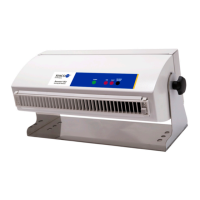
To adjust the position of the Blower, loosen the knobs on the
mounting stand. Move the Blower or mounting stand to the desired
position and re-tighten the knobs.


 To Next Page