15
EN
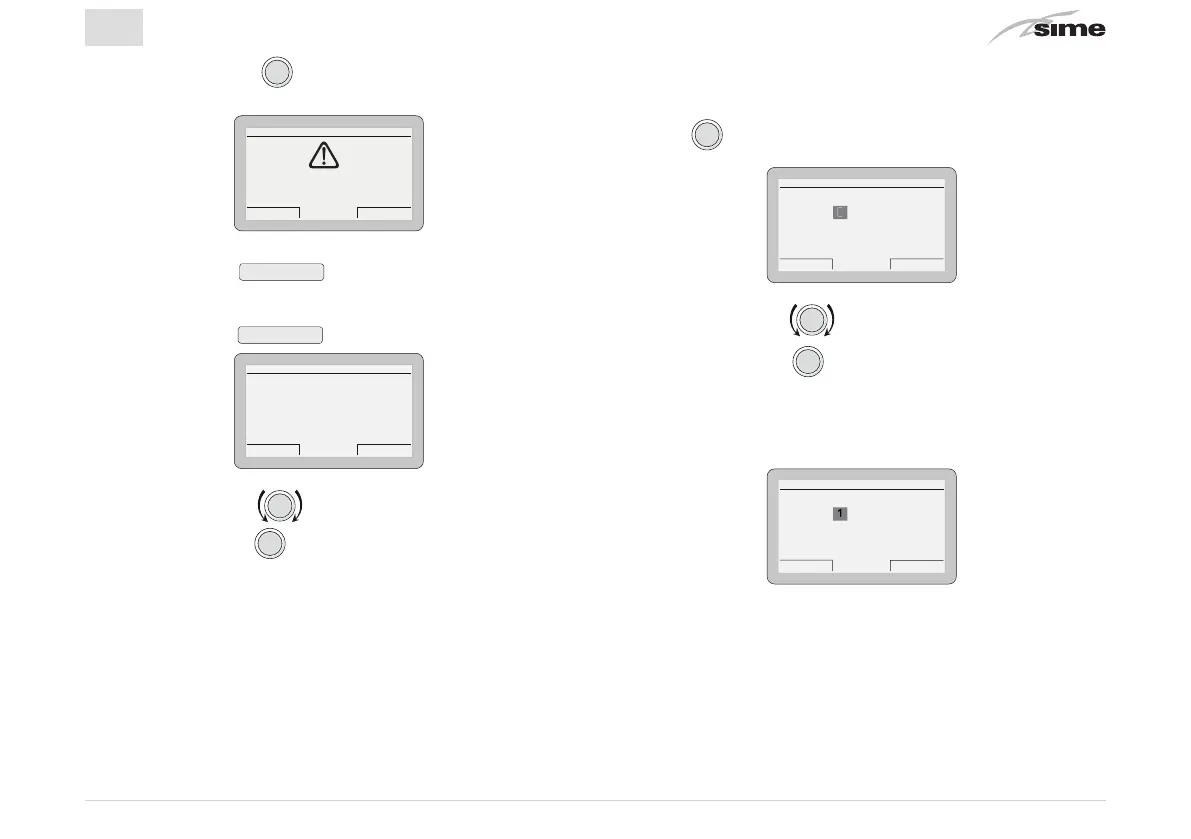
– Press the encoder
to go into a modifiable area. A
screen appears offering the following options:
Cancel Confirm
CONFIRM REQUEST
Confirm operation?
– Press the button
Cancel
to go back to the menu
“TECH-
NICAL”
– Press the button
Confirm
to go into the submenus
TECHNICAL
Es
ack
Zone heating [...]
Hot water [...]
Boiler parameters [...]
Reset alarm history [...]
Factory total reset [...]
– Rotate the encoder to select the required submenu
– Press the encoder
to confirm the submenu selected
and go into the area for modifiable parameters.
m
WARNING
When the submenu
“boiler parameters”
is selected,
the following screen appears when the the encoder
is pressed.
ENTER ACCESS CODE
Code: 00000
Cancel Confirm
– Rotate the encoder to modify the first digit from 0 to 1
– Press the encoder
to confirm the modification and
select the next digit
– Continue in this way until the CODE (or password)
“1 2 3 4 5”
has been completed
ENTER ACCESS CODE
Code:
Cancel Confirm
12345


 To Next Page