17
EN
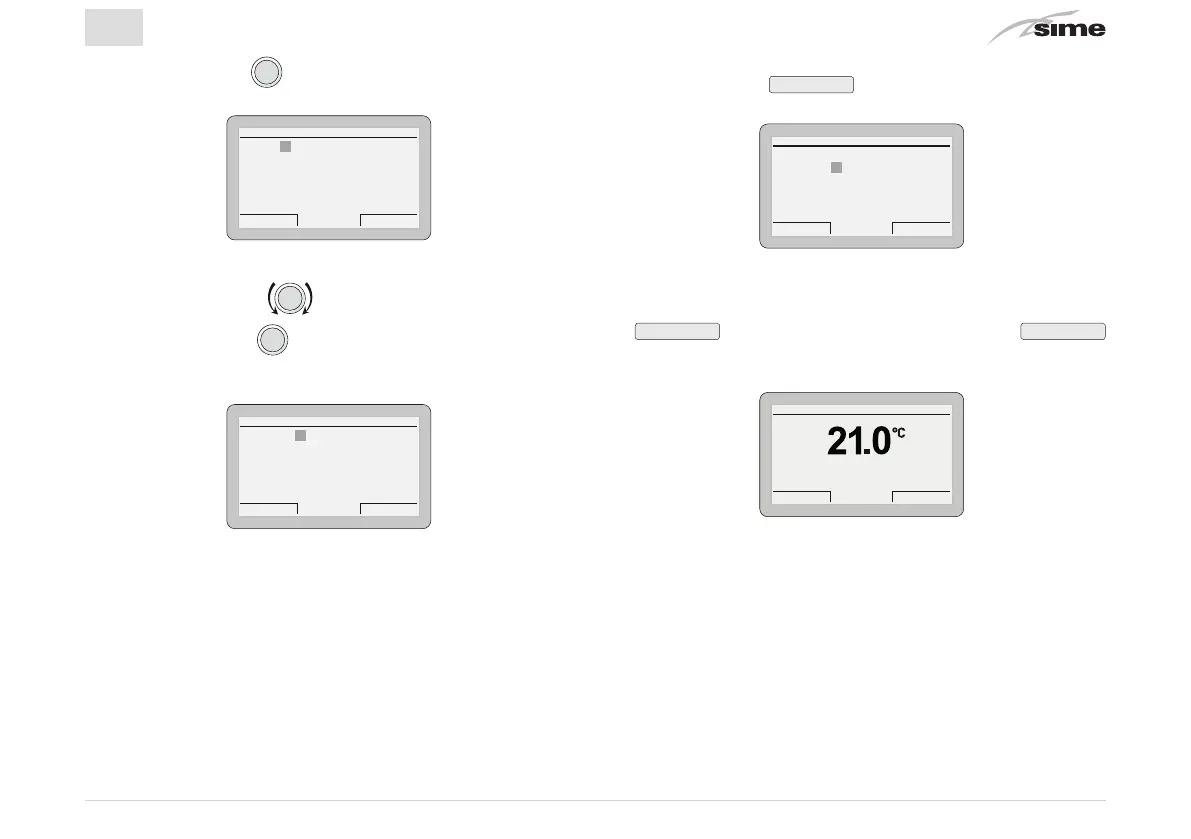
– Press the encoder
to confirm.
CUSTOMER SERVICE
Cancel Confirm
NAME:
PHONE:
– Rotate the encoder to select the first letter of the
name.
– Press the encoder
to confirm and move to the next
letter.
CUSTOMER SERVICE
Cancel Confirm
NAME: A
PHONE:
– Continue in the same way until the name is complete.
– Press the button
Confirm
to enter the telephone number.
Proceed in the same way as for the name.
CUSTOMER SERVICE
Cancel Confirm
NAME: John Doe
PHONE: 0 1
– When this operation has been completed, press the button
Confirm
, and go back to the submenu. Press
Esc
to go back to the “main screen”.
Gi 18 Set 2014Zona 10:30
Menu Modo
Off


 To Next Page