26
9.8 Planing depth adjustment
To adjust the planing depth correctly, keep the machine lifted slightly off the ground when
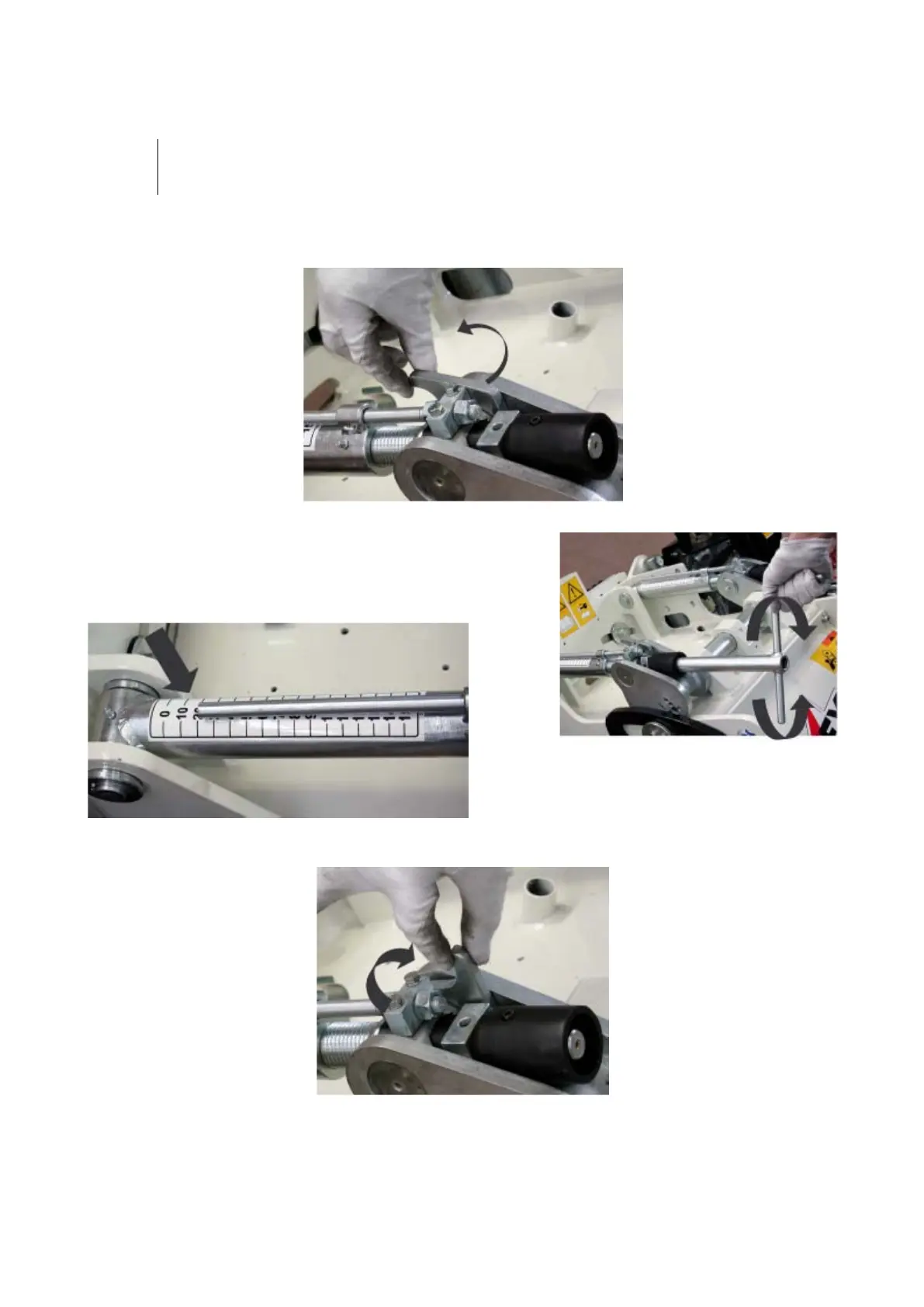
1- Release the depth adjustment lock:
Release the depth adjustment lock as shown in fig. 1.
2- Insert the crank (supplied) and turn it to adjust the planing
depth, as show in fig. 2.
To quantify the planing depth, see the sticker affixed to the mobile
rod (fig. A).
fig. 2
3- Once you have established the planing depth, re-engage the lock (fig. 3).


 To Next Page