SD1 User’s Manual
digital drum kit
PLAYING THE DRUM
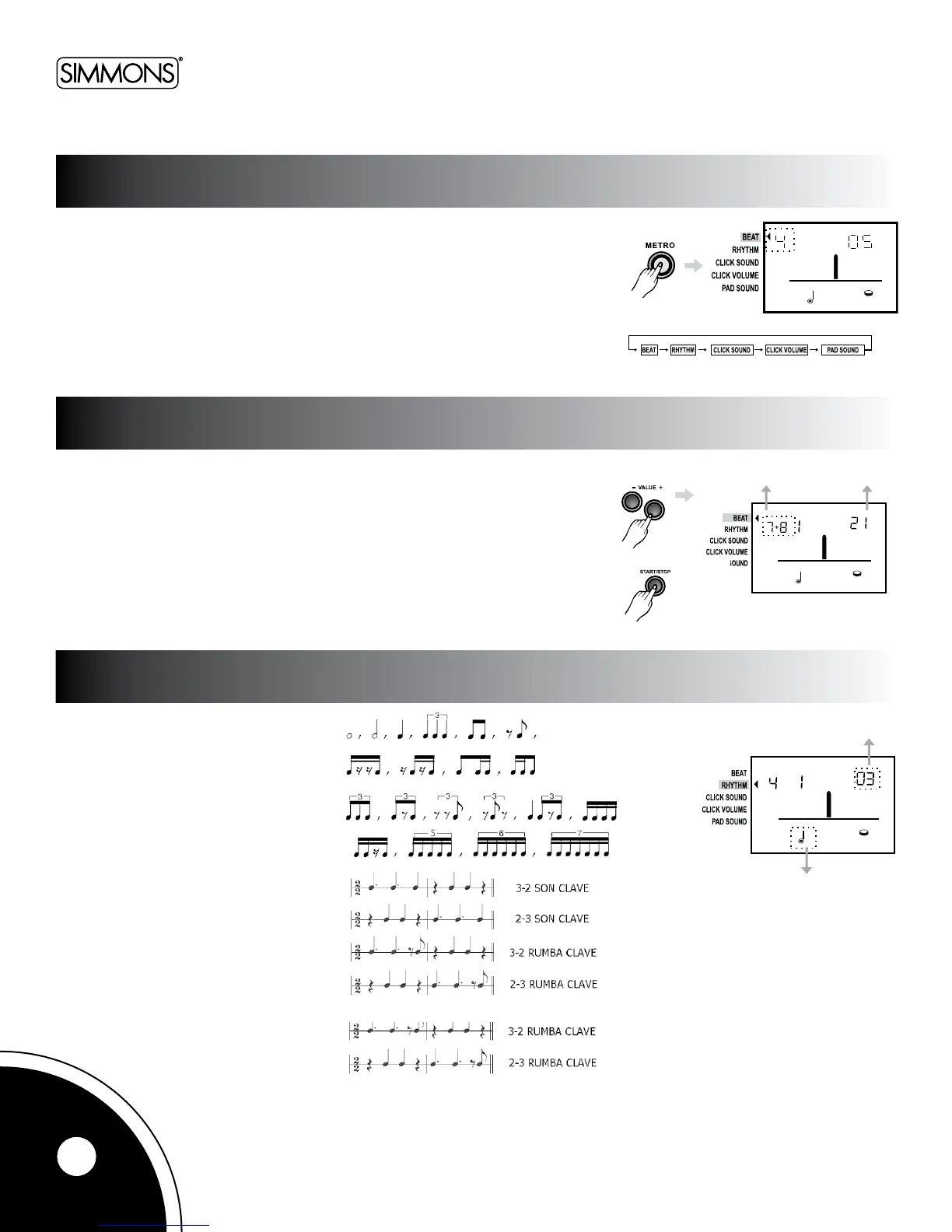
Pressthe[METRO]buttontoselecteachparameter,includingthebeat,rhythm,click
sound,clickvolume,padsound,andmetronome.
Pressthe[+]or[-]buttonstoadjusttheparameterforeachitem.ThearrowontheLCD
will point to the selected parameter.
Pressthe[START/STOP]buttontoturnthemetronomeonandoff.
Pickthetimesignatureforthemetronomebychoosingfromthelistofbeatcountsshown
below. The bottom note value for all beat counts is always a quarter note. Choose from
singlebarsof0–9beats,orthefollowingtwo-barcombinations:2+3,3+2,3+4,4+3,
4+5,5+4,5+6,6+5,6+7,7+6,7+8,8+7,8+9,9+8.
Thereare24rhythmstylestochoosefrom.
CHANGING THE PARAMETER
TIME SIGNATURE
RHYTHM
8



 To Next Page