SD1 User’s Manual
digital drum kit
Anoptionalsetofstereoheadphonescanbeconnectedtotheheadphonejack,located
ontherearpanel.Whenapairofheadphonesisconnectedtothejack,theinternal
speakersoftheunitwillswitchoffautomatically,allowingforprivatepractice.Ifyouwant
touseanexternalsoundsystem,theheadphonejackcanalsobeusedtoconnectthe
digital drum to a stereo system or mixing console.
TurnthepowerOFFonallequipmentbeforemakinganyconnections.
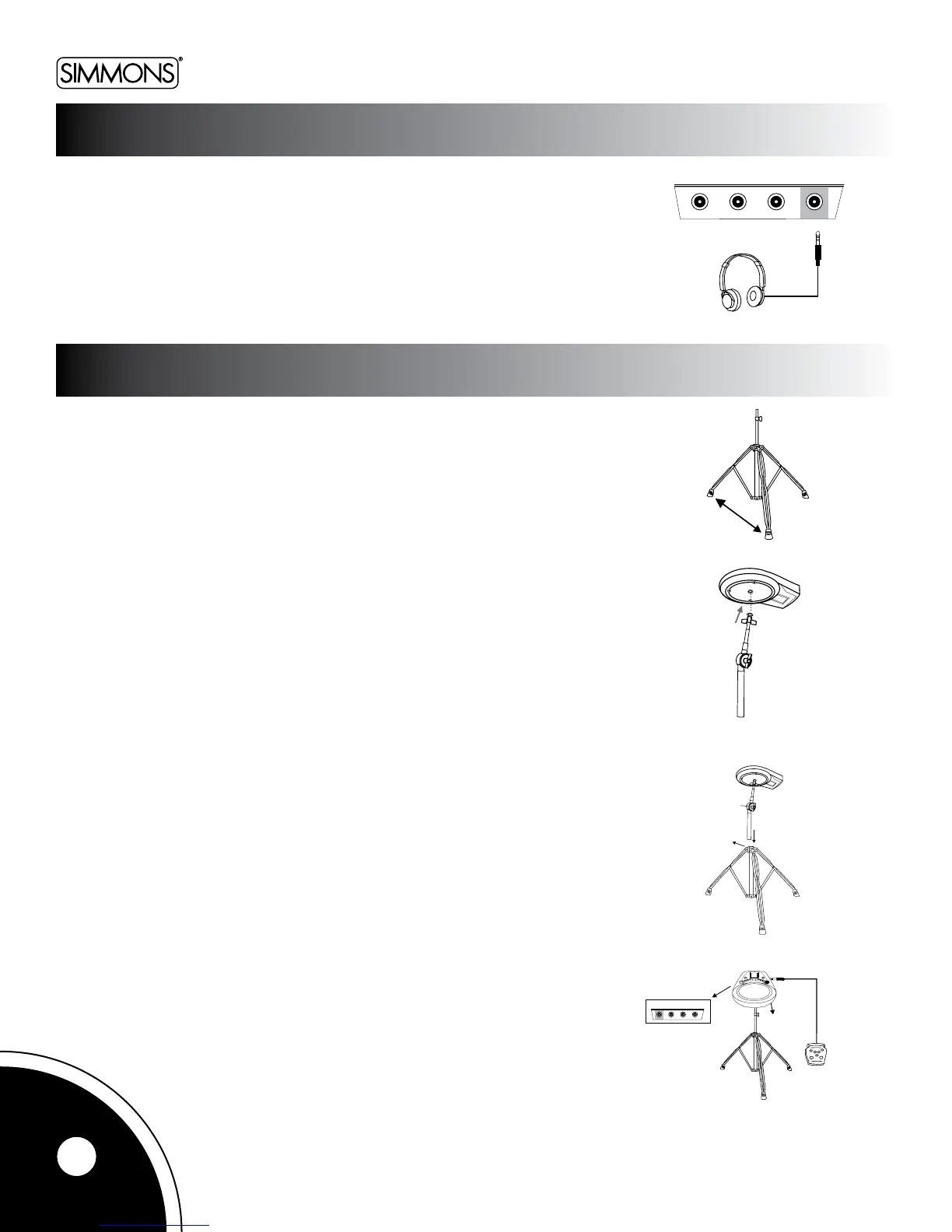
TheSD1cantanystandardsnarestand,oritcanbescrewedontoany8mmcymbal
stand via the threaded section on its underside.
Whicheverstandyouuse,makesurethatthetripodlegsareopenenoughtokeepthe
stand secure.
Ifusingasnarestand,simplymounttheSD1intheclawswhereyouwouldnormally
place the snare, and then close them tight enough until they grasp the unit firmly but are
not squeezing it hard enough to do any damage.
Ifusingan8mmcymbalstand,attachthewingscrewandwasherintheordershownin
thegure.Attachthepad’sthreadedsectiontothescrew.Turnituntilthescrewisjust
aboutallthewayin;thenadjusttheangleofthepadandtightenthewingscrewfromthe
sidetothestand.Donotturnthepadforcefullyafterthescrewisinalltheway.Doingso
may damage the screw.
Precautions When Folding the Tripod
Usecarewhenfoldingtripodlegs.Fingerscanbepinchedwhilehandlingstands.
External Pedal / Pad Setup
ConnecttheKickand/orHi-Hatpedalstotheircorrespondinginputsontherearpanel
with cables.
4
HI-HAT
CONT ROLKICK
HI-HAT
PHONES
C
KICK
HI-HAT
CONT ROLKICK HI-HAT PHONES
Kick
11.8in(30cm)
Wingscrew
Tightentheknob
USING HEADPHONES
MOUNTING THE DIGITAL DRUM ON A STAND



 To Next Page