SD1
www.simmonsdrums.net
7
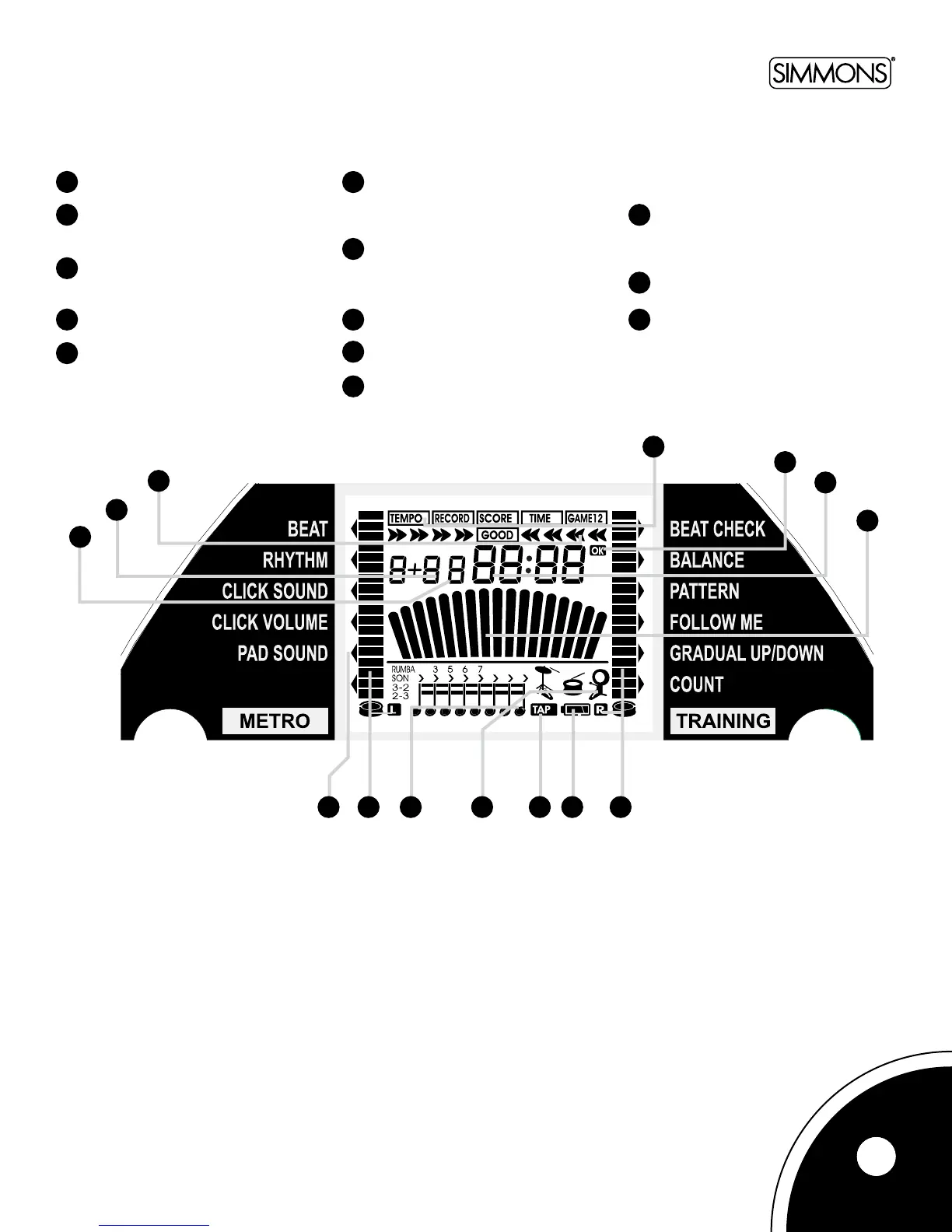
1. Beat/BarCount–Showswhichbeatof
the bar you’re on.
2. Beat Count – Shows how many beats
are in your one or two bar metronome
patterns.
3. BeatCheckIndicators–Showshow
you are performing against the Beat
Checkfunction.
4. IndicatorsforTempo,Record,Score,
Timer,&Gamemodes.
5. OKindicator–Showsthatyoucan
move to the next level in
Game 2 mode.
6. Drum/Temp/Training/GameMode
Parameters–Displaysdrum,tempo,
timer, score, or level information,
depending on which mode you are in.
7. Metronome–Inmostmodes,asimple
metronomeneedleisusedtomarkthe
time. In counting mode, it is used as
anindicatortotrackyourprogress.
8. ParameterDisplay–Arrowspointto
the current parameter.
9. Drum&Barindicators–Showsthe
dropping bars in the game mode.
10. BeatDivisionsIndicators–Showsthe
beat division set in the rhythm
parameter.
11. DrumIndicators–Showswhichdrum
soundsareactive(pad,kick,and/or
hi-hat).Eachoneashestoindicate
when it is being hit.
12. TAPIndicator–Showswhenyouare
in Tap Tempo mode.
13 BatteryLevelIndicator–Willash
when batteries are low.
LCD Display
1
2
3
4
5
6
7
8
9
10
11
12
13
1
2
3
4
5
6
7
8 9 10 11 12 13 9



 To Next Page