SD1
www.simmonsdrums.net
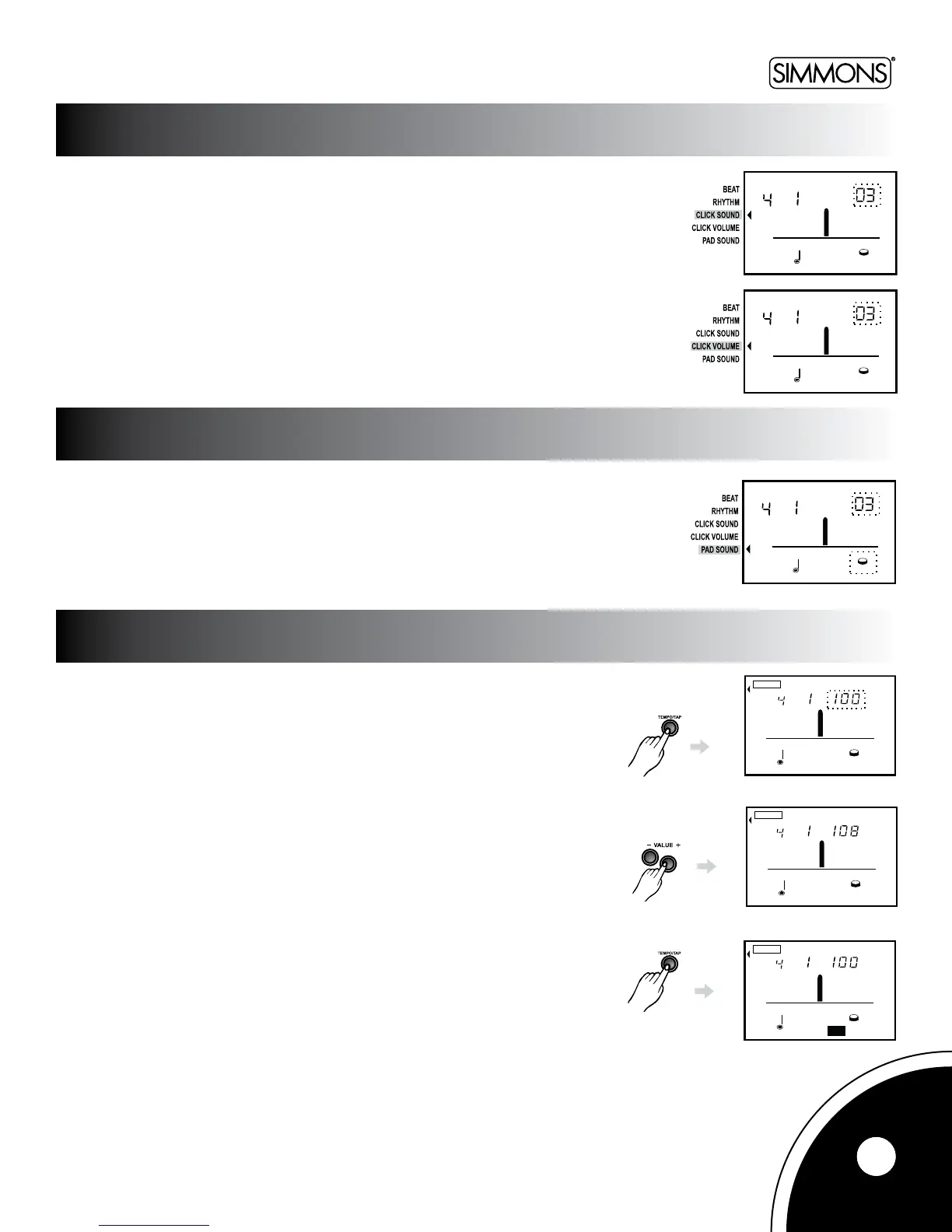
Thereare6clicksoundstochoosefrom:
•1/Metronome
•2/Claves
•3/Sticks
•4/Cowbell
•5/VoiceCount
•6/Electronic
Click Volume
AdjustVolumefrom0-4
PresstheMETRObuttontoenterpadsoundselectionmode.
Thereare65padsounds.Pressthe[+]or[-]buttonstoselectthesound.
Press[TEMPO]toenterTempomode.TheLCDtemporarilydisplaysthetempovalue
withatempoiconforthreeseconds.Pressthe[+]/[-]buttonstoadjustthetempovalue.
MinimumBPMis30.Maxis240.
Youcanalsosetthemetronometempobyhittingthepadandbrieyholdingdownthe
[TEMPO]buttonforthreesecondstoentertapmodewhilethe“TAP”iconashes.Hitthe
pad4timestosetthetempo.Thevalueisdeterminedbytheintervalofthelasttwohits.
Note: In Game mode, tap function is disabled.
TEMP O
TAP
BEAT
Pres s the button for 3 seconds
TEMP O
BEAT
TEMP O
BEAT
9
TEMP O
TAP
BEAT
Pres s the button for 3 seconds
TEMP O
BEAT
TEMP O
BEAT
TEMP O
TAP
BEAT
Pres s the button for 3 seconds
TEMP O
BEAT
TEMP O
BEAT
Pressthebuttonfor3seconds
CLICK SOUND
CHANGING THE PAD SOUND
TEMPO/TAP
TEMP O
TAP
BEAT
Pres s the button for 3 seconds
TEMP O
BEAT
TEMP O
BEAT
TEMP O
TAP
BEAT
Pres s the button for 3 seconds
TEMP O
BEAT
TEMP O
BEAT



 To Next Page