SD1 User’s Manual
digital drum kit
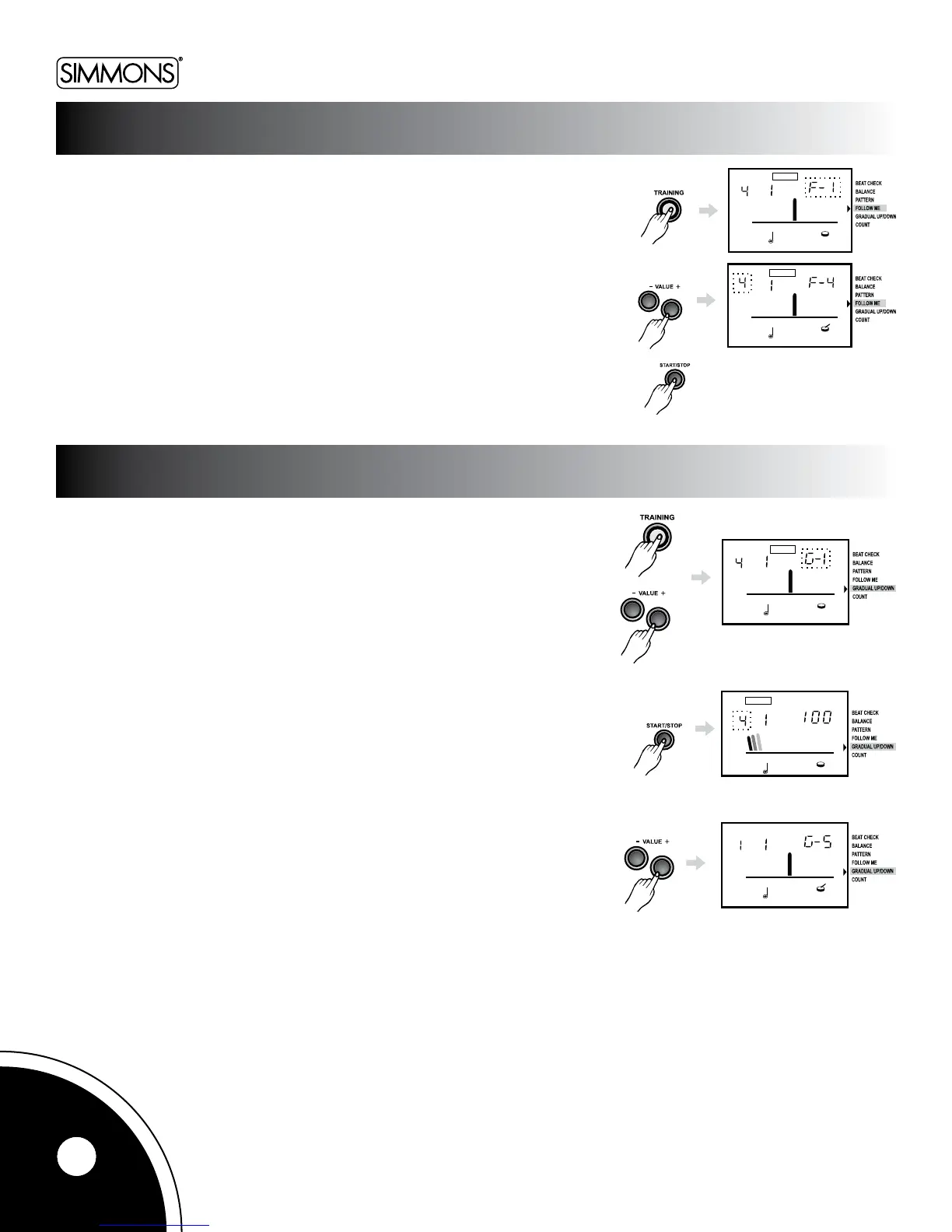
In this mode, the metronome sound plays a pattern and then goes silent for
a bar or more, doing so in one of the selected patterns. This cycle will repeat
untilyoupressthe[START/STOP]buttontostoptheexercise.
Thereare4typestochoosefrom:
F-1:1measurecycle,(thismeansonemeasurewillplayatnormal
volume&onemeasurewillplaymuted)
F-2:2measurecycle
F-3:4measurecycle
F-4:8measurecycle
Pressthe[+]or[-]buttonstoselecttheexercisetype.
Pressthe[START/STOP]buttontostartorstoptheexercise.
This function is designed to improve your playing stamina by
increasing and decreasing the metronome speed. The tempo
will increase until it reaches the max tempo you set, then it
will decrease until it reaches the original tempo.
The starting tempo is whatever the metronome is set at before
youstarttoplay.Themaxtempocanbesetbypressing[TEMPO]
during the exercise, when it reaches the speed you want. It will then
automatically begin to count down.
There are 5 tempo variation types to choose from:
G-1Thetempowillincreaseordecreaseby1BPMoneverybeat.
G-2Thetempowillincreaseordecreaseby1BPMeverytwobeat.
G-3Thetempowillincreaseordecreaseby2BPMevery8measures.
G-4Thetempowillincreaseordecreaseby5BPMevery8measures.
G-5Ifyouplaycorrectlyforeightmeasuresthedrumwillacknowledge
this and advance 5 BPM faster.
What is BPM?
BPMisanabbreviationfor“beatsperminute”(numberofquarter-note
beatsinaone-minuteperiod).Itisalsoreferredtoastempo.
Pressthe[+]or[-]buttonstoselecttheexercisetype.
Pressthe[START/STOP]buttontostartorstoptheexercise
follow me
graDUAL UP/DOWN
12



 To Next Page