SD1
www.simmonsdrums.net
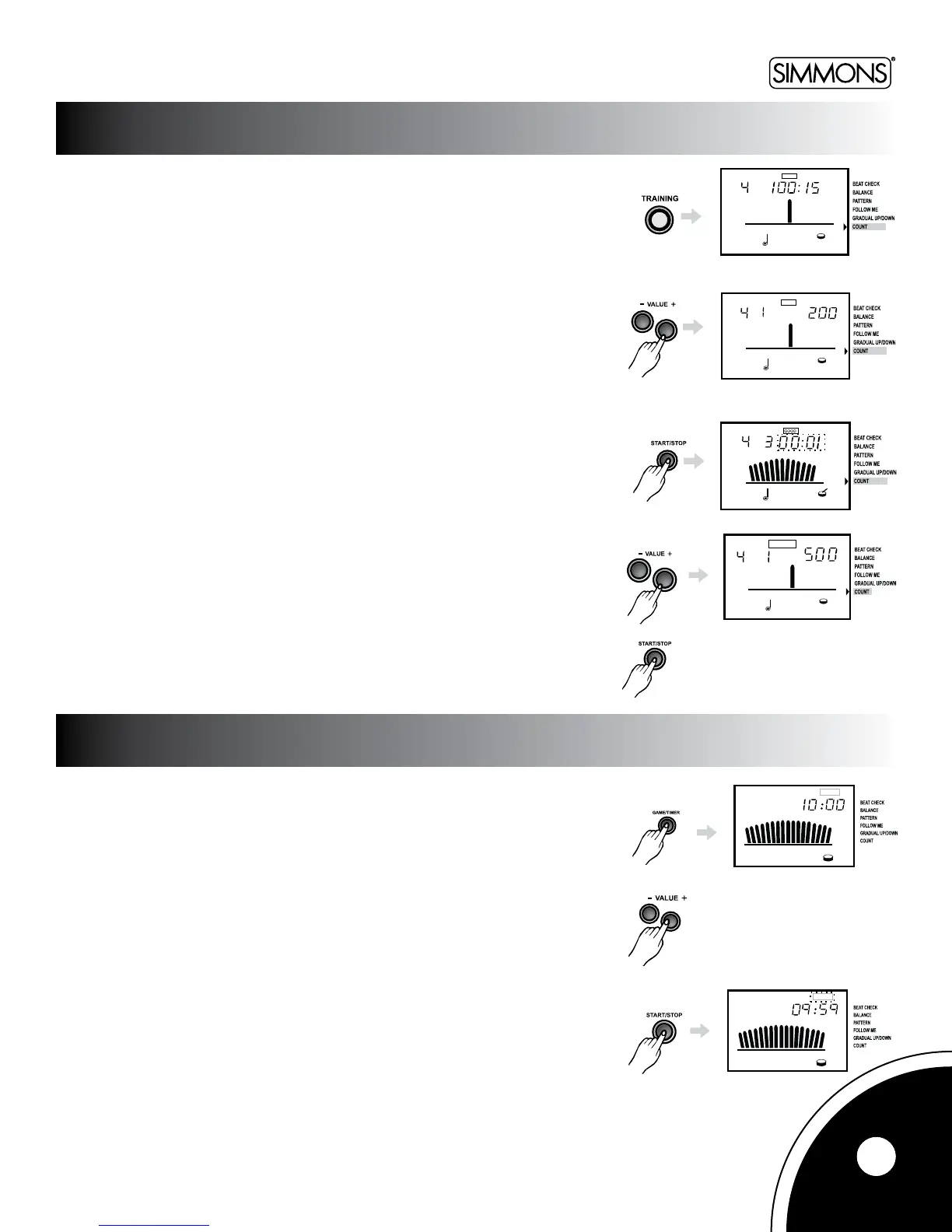
This function helps you count the amount of pad hits within a fixed time.
Fixed time mode counts the number of hits in a given time, which is chosen with
the[+][-]buttons.Choosefrom15,30,or60seconds.
Inxedhittingamount,youcancounthowlongittakesyoutoreachaspecic
amounts of hits. Choose the amount by hitting [+] button beyond the fixed time
choices.Choosefrom200,500,or1000.
Press[START/STOP]tobegintheexercise.
InFixed-TimeAccountingmode,afteraone-measurecount-in,thepadhitcountwillbe
displayedontheLCDinreal-time.ThemetronomesectionontheLCDwillcountdownthe
time.Whenitrunsout,thecountwillstopautomatically,andthepadhitvaluewillash.
InFixed-HittingCountmode,afteraone-measurecount-in,aclockwillappeartocount
downthetime.ThemetronomesectionontheLCDwillcountdownthehitsyouhaveleft.
Whenthetimerunsout,thecountdownwillstopautomaticallyandyourtimewillash.
WhentheLCDashesthevalue,pressthe[+][-]buttonstoexitthismodeandpress
[START/STOP]tostop.
Thetimercanbesetfrom1to60minutes,allowingyoutopracticeforwhateverperiod
of time you determine.
Brieyholddownthe[GAME]buttonfor3secondstoentertheTimermode.TheTimer
indicator will then light up.
Pressthe[+]or[-]buttonstosetthetime.
Pressthe[START/STOP]buttontostartthetimer.
13
COUNT
TIMER



 To Next Page