*Specifications may be changed or modified at any time without prior notice
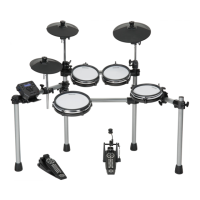
Drum Kit:
4 drum pads
3 cymbal pads
1 hi-hat control pedal
1 kick pad
Preset Drum Kits:
14 preset kits
Drum Instruments:
130
Preset Patterns:
40
Controls:
MIDI Out
Power Switch
USB
Phones
Start/Stop
Pattern
Kit
Voice
Click
Mode
Page
Demo
Tempo
Volume
+/-
Display:
LED Display
Connections:
Phones
Aux In
Output(R&L/MONO)
MIDI Out
USB
On/Off
Power Supply:
ACAdaptor(9V500mA)
appendices
Restoring Factory Presets
Restoring the factory preset can be implemented by the following operations:
Turn on the power with both [+]/[-] pressed simultaneously.
This function will replace the current settings of the following parameters to their
default preset values:
Kit volume, voice number, voice volume and MIDI note.
Specifications
9681 Simmons SD5X Electronic Drum Set Manual.indd 18 3/16/12 3:42 PM



 To Next Page