LED functions
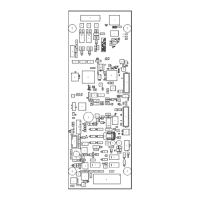
For ES Net Digital Audio Controller LED functions, see Table 3.
Table 3: ES Net Digital Audio Controller LEDs
LED Name Description
LED1 COMM_LOSS • When ON steadily, indicates the audio controller is not communicating with the
master, or is missing its slave exec code.
• When OFF, indicates that the controller is communicating with the master.
• When FLASHING, indicates the audio controller is downloading data from the message
download port.
LED2, LED3, LED4 SLAVE DIAG 0, 1, 2 Reserved for R&D use
LED9 SECONDARY ENABLE • When ON, indicates the DAR is in degraded mode (Class A is enabled).
• When OFF, indicates the DAR is not in degraded mode (Class A is disabled).
LED7 Ethernet Port Status • When OFF, indicates there is no connection with the ES Net NIC card.
• When ON steadily, indicates there is a connection with the ES Net NIC card but no
activity.
• When FLASHING, indicates there is a connection with activity.
LED10 DAR source • When ON, indicates that the DAR riser's source is the DAR that comes from the PDI.
• When OFF, indicates the DAR riser's source is this audio card's DAR.
LED11 PDI direction • When ON, indicates that this card is receiving the DAR from the PDI.
• When OFF, indicates that this card is driving its DAR onto the PDI.
Note: LEDs 5, 6, and 8 not in use.
page 5 579-1408 Rev. B
ES Net Digital Audio Controller Installation Instructions


 To Next Page