17
5. Using the arrow keys, select the System Cards menu and press Enter (see Figure 10).
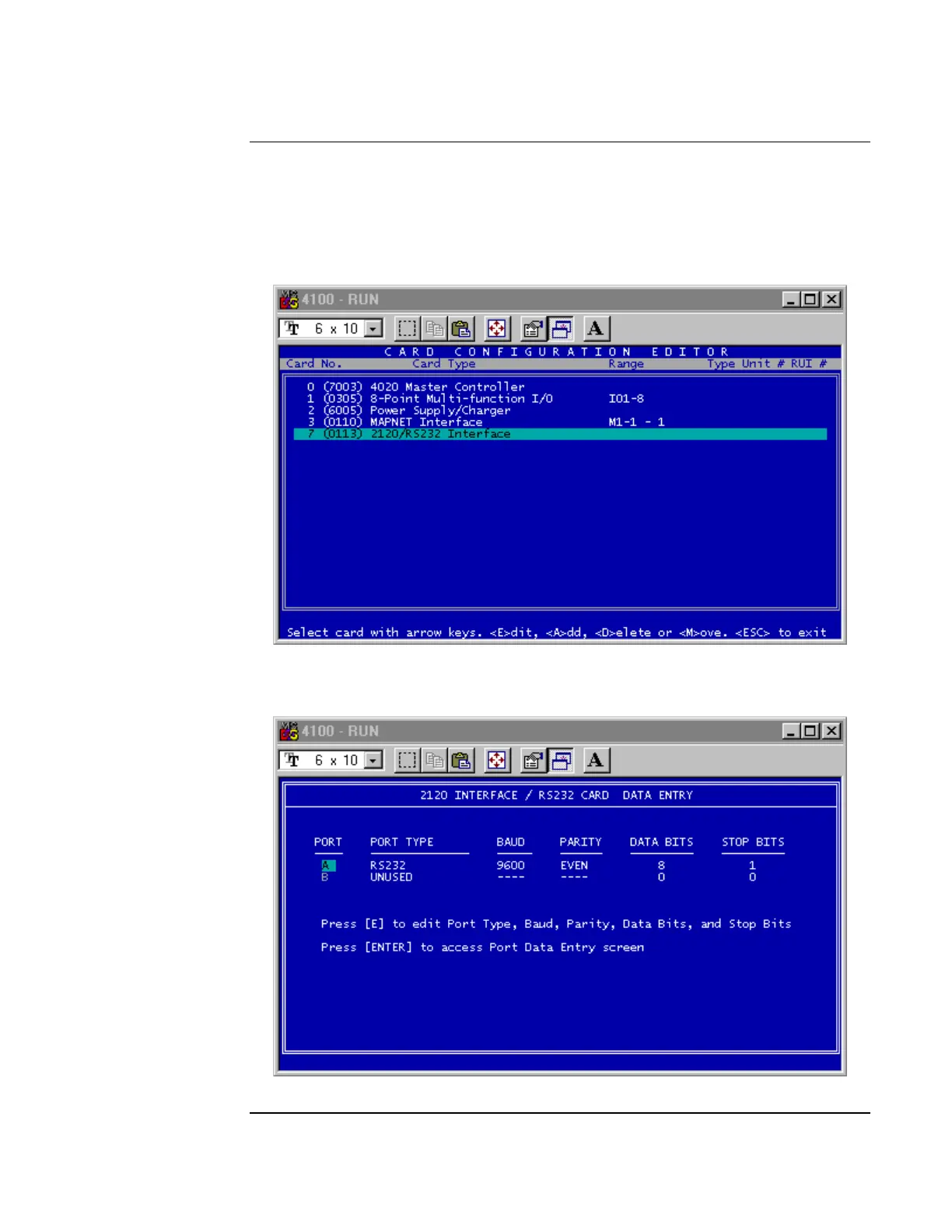
6. Press A to add the SafeLINC FPII card. Figure 11 shows the card added as a 2120/RS232
Interface Card. With this card highlighted, press Enter to go to the 2120 Interface/RS232
Card Data Entry Screen
Figure 11. Card Configuration Editor
7. Press E to edit the communication settings (see Figure 12).
Figure 12. Communication Settings
Continued on next page
Adding the SafeLINC FPII to the FACP via the Programmer, Continued
Using the
DOS-Based
Programmer



 To Next Page