18
8. Configure Port A as shown in Figure 12 (9600 Baud, Even Parity, 8 Data Bits, and 1 Stop
Bit). (Since Port B is not supported, you need to leave it unused.)
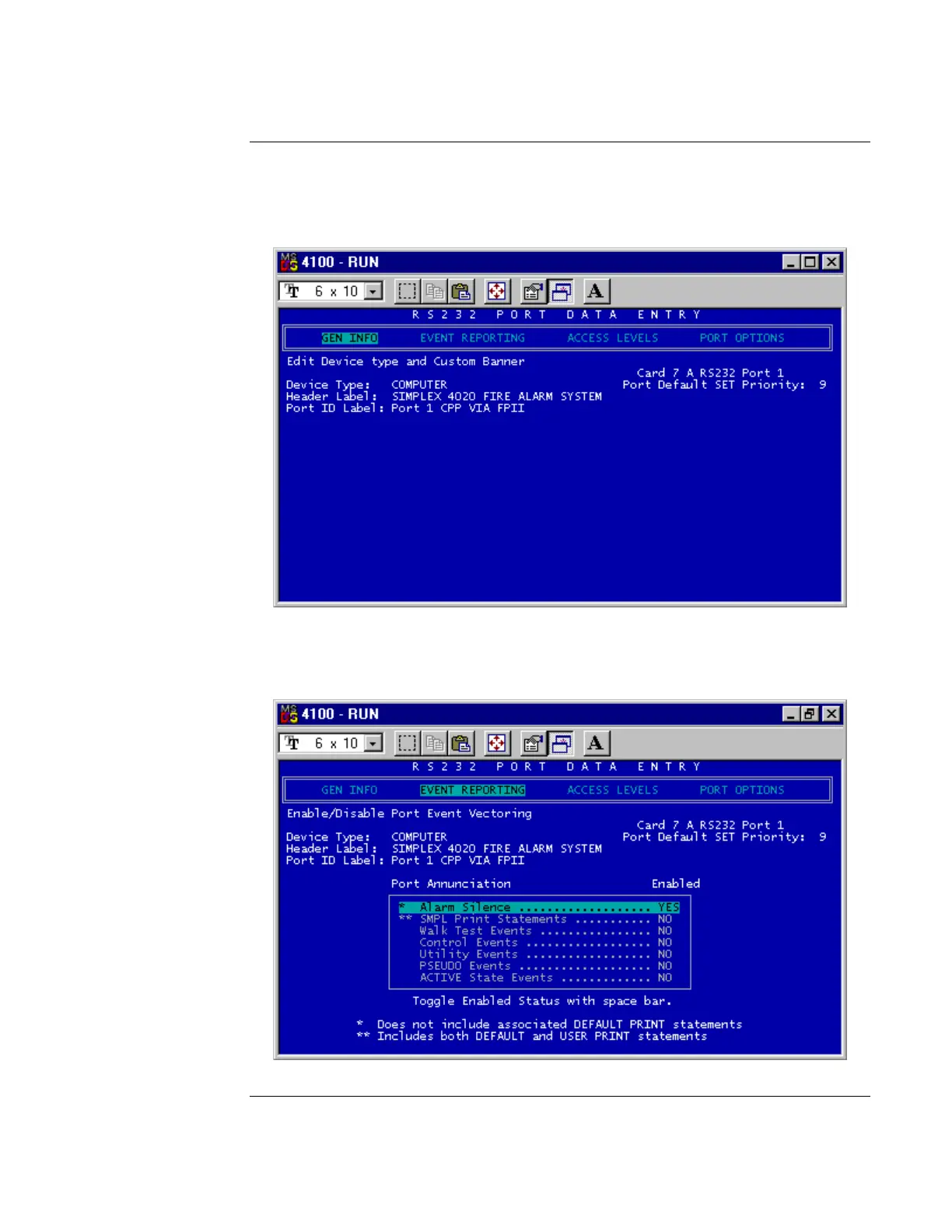
9. Press Enter to access the RS232 Port Data Entry screen (see Figure 13).
Figure 13. RS232 Port Data Entry Screen
10. Choose Computer for device type, and type in a header label and port ID label. When
done, use the arrow keys to select the Event Reporting option (see Figure 14).
Figure 14. Event Reporting Option
Continued on next page
Adding the SafeLINC FPII to the FACP via the Programmer, Continued
Using the
DOS-Based
Programmer



 To Next Page