22
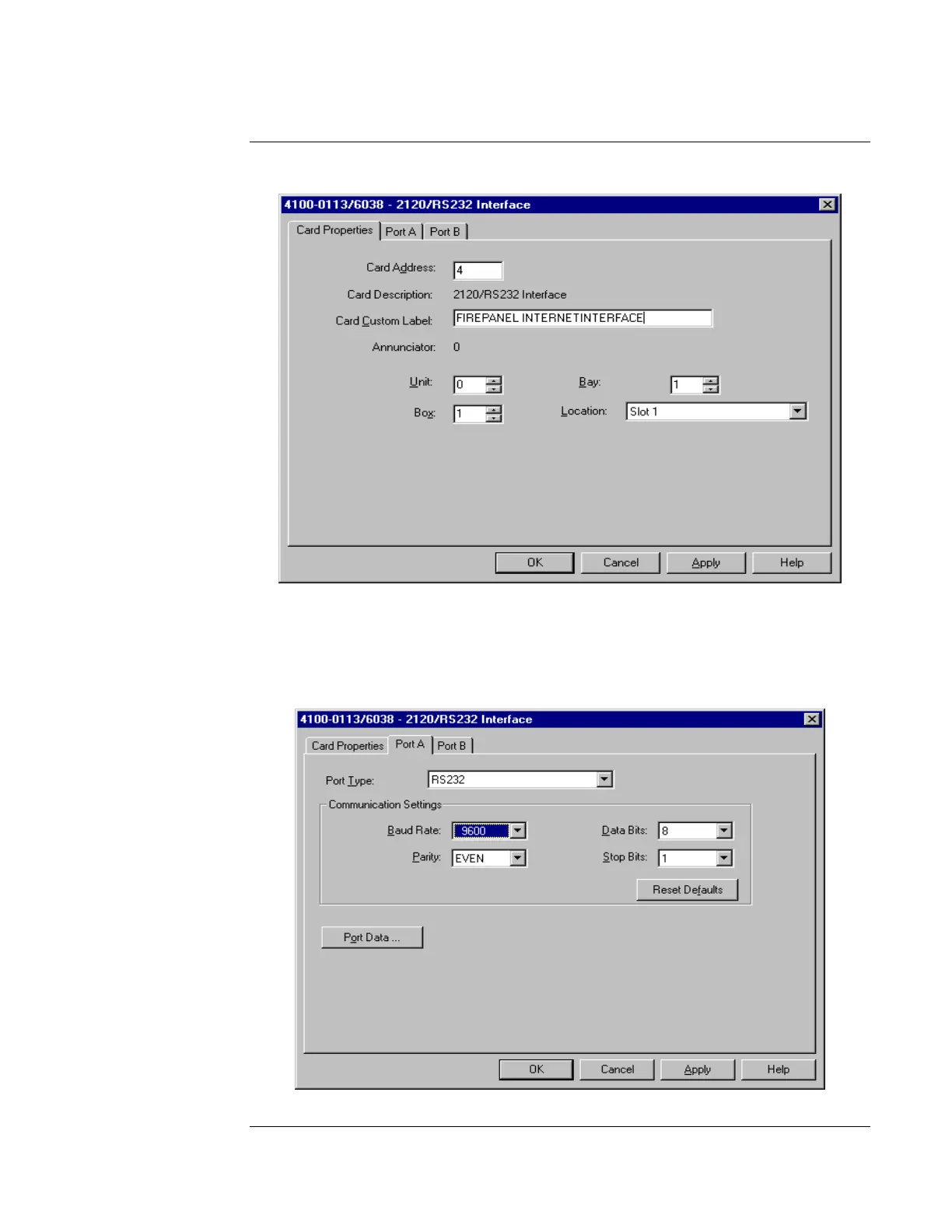
5. Double click the 2120/RS232 Interface Card (see Figure 18).
Figure 18. Custom Label Information
6. Type in Custom Label information as shown in Figure 18.
7. Click on the Port A tab, and then configure Port A as shown in Figure 19 (9600 Baud, Even
Parity, 8 Data Bits, and 1 Stop Bit). (Since Port B is not supported, you need to leave it
unused.)
Figure 19. Communication Settings
Continued on next page
Adding the SafeLINC FPII to the FACP via the Programmer, Continued
Using the
Windows-Based
Programmer



 To Next Page