24
10. Make needed modifications to the access levels except for Modify Terminal Flags. You must
set Modify Terminals Flags to 1.
NOTE: No user will have direct access to the Computer Port Protocol (CPP) via the
SafeLINC FPII.
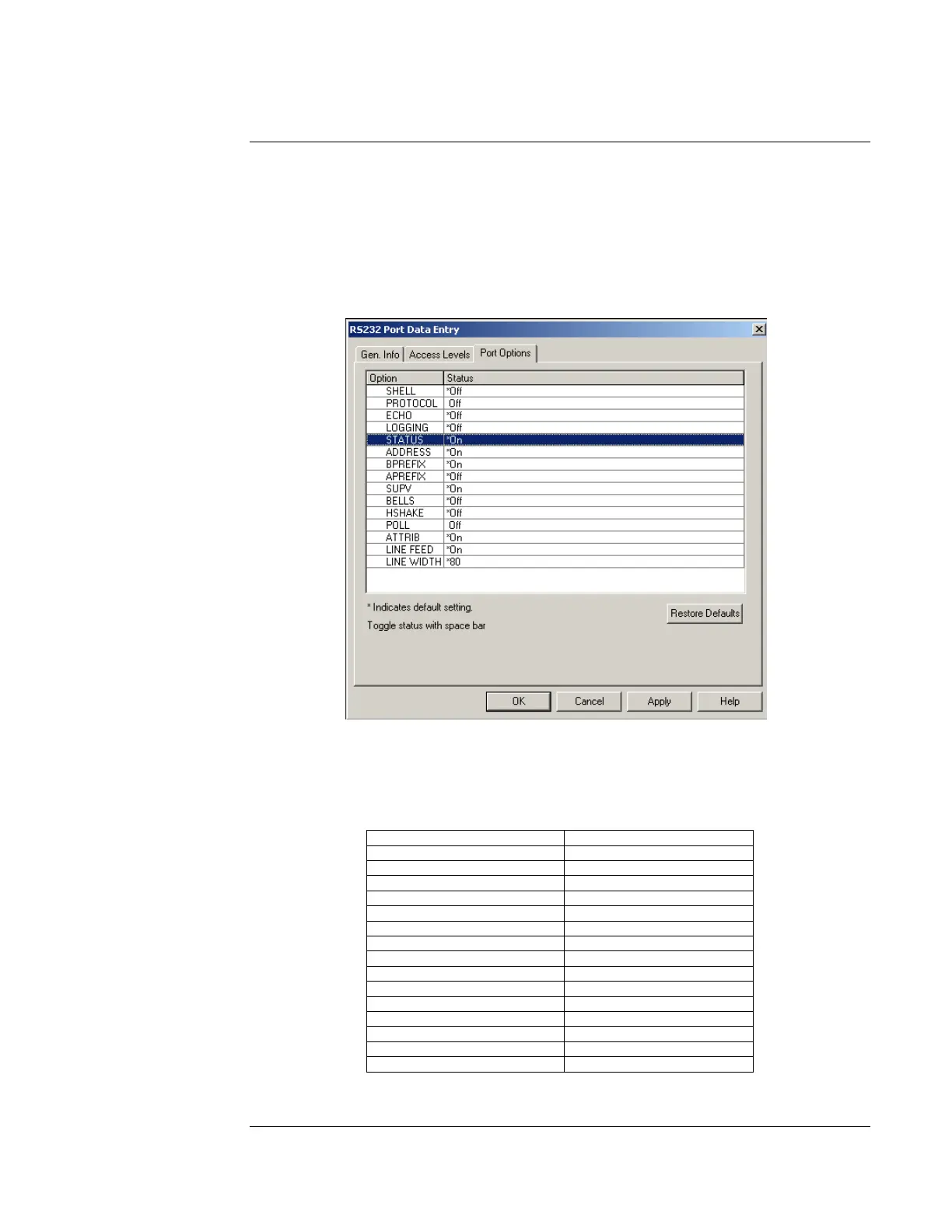
11. Click on the Port Options tab (see Figure 22).
Figure 22. Port Options
12. Modify the terminal flags as shown in Table 5.
Table 5. Terminal Flag Settings
Terminal Flag Description Setting
SHELL OFF
PROTOCOL OFF
ECHO OFF
LOGGING OFF
STATUS ON
ADDRESS ON
BPREFIX ON
APREFIX OFF
SUPV ON
BELLS OFF
HSHAKE OFF
POLL OFF
ATTRIB ON
LINE FEED ON
LINE WIDTH 80
13. Click the OK button and then click the OK button at the next screen to return to the main
Programmer screen.
Continued on next page
Adding the SafeLINC FPII to the FACP via the Programmer, Continued
Using the
Windows-Based
Programmer



 To Next Page