Filter Replacement
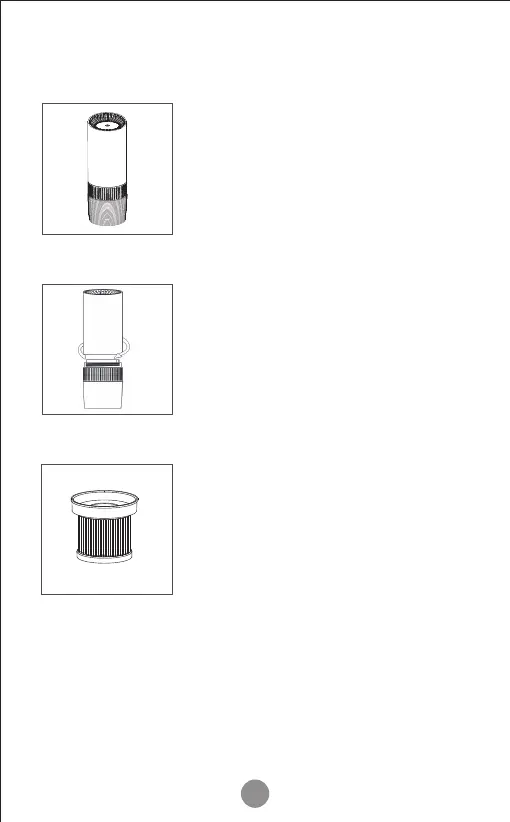
Press and hold the power button
until the indicator light turns off.
Unplug the USB power cord from
the air puri�ier.
Holding the puri�ier, turn the base
clockwise and pull the lower housing
away. You will now see the �ilter
located inside the lower housing, lift
out the old �ilter, and dispose of
regular household waste (non-toxic).
The �ilter's actual lifespan may vary depending on the
amount of dust, smoke, humidity, and the concentration
of other airborne particles and vapors in the air.
Please note: the MS6 uses a disposable �ilter and should
not be washed.
Remove any packing material from
the new �ilter. Slot the new �ilter
into the base of the puri�ier. Replace
the base and turn anti-clockwise
until it locks closed. Plugin the air
puri�ier and follow the Filter reset
instructions (See Page 8).
9
Step 1
Step 2
Step 3



 To Next Page