Operating Manual TRACSCAN 2.0
V2.0, 2022-05 27 / 36
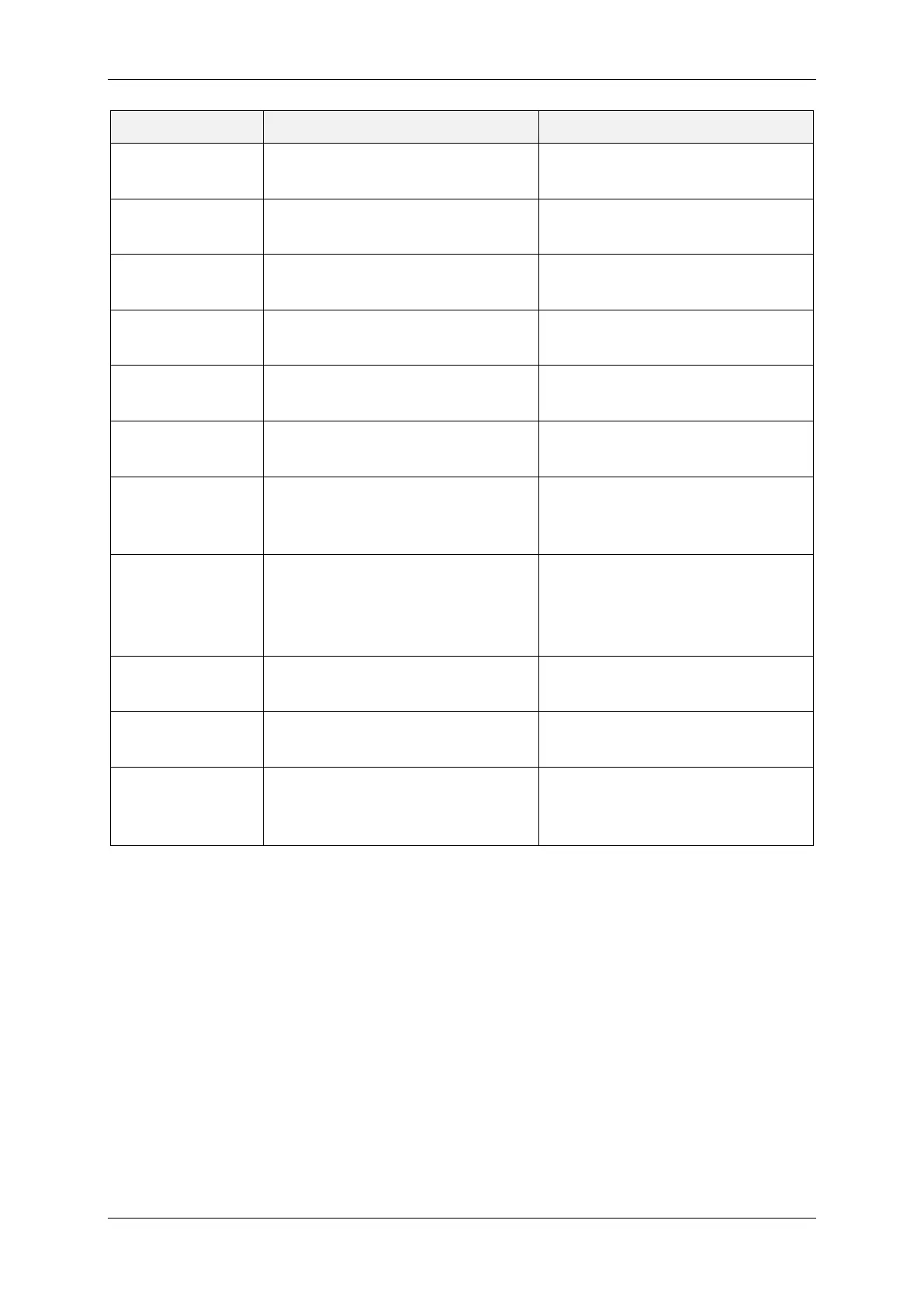
Error Description How to fix
Cannot Access
Archive
Archive busy or not available. Contact service.
Drive Motor Fault
Drive motor should start but in-
strument does not move.
Contact service.
Out of Paper
Printer is out of paper or paper roll
not inserted correctly.
Check if paper roll is not empty
and is inserted correctly.
Timeout Printer
Print request
Printer is not responding.
Contact service.
Communication
Error
Print request cannot be handled.
Printer is not responding.
Contact service.
Printer Not
Supported
Printer Hardware Fault. Contact service.
Record Not
Available
Requested
cannot be found.
Turn off instrument
operation. If fault still exists, con-
tact service.
(Internal) Update
Running
Can occur right after a firmware
update. Instrument
is busy and
cannot execute a program or print
request.
Wait until the instrument
longer busy. The instrument shuts
down after the internal update
has been completed.
Inclination Sensor
The inclination of the instrument
cannot be determined.
Contact service.
Invalid
Level/Ramp
The detected slope is not within
the allowed range.
Check slope of surface. See pro-
gram parameter Ramp for details.
Wrong Test Foot
The test foot type does not fit to
the selected program.
Remov
e test foot and insert test
foot with proper type. See Table 6,
Table 7, Table 10 and Table 11.
Table 15: Error Types


 To Next Page