Maintenance
5-16
5
3.3 SolutionforNotication401,601
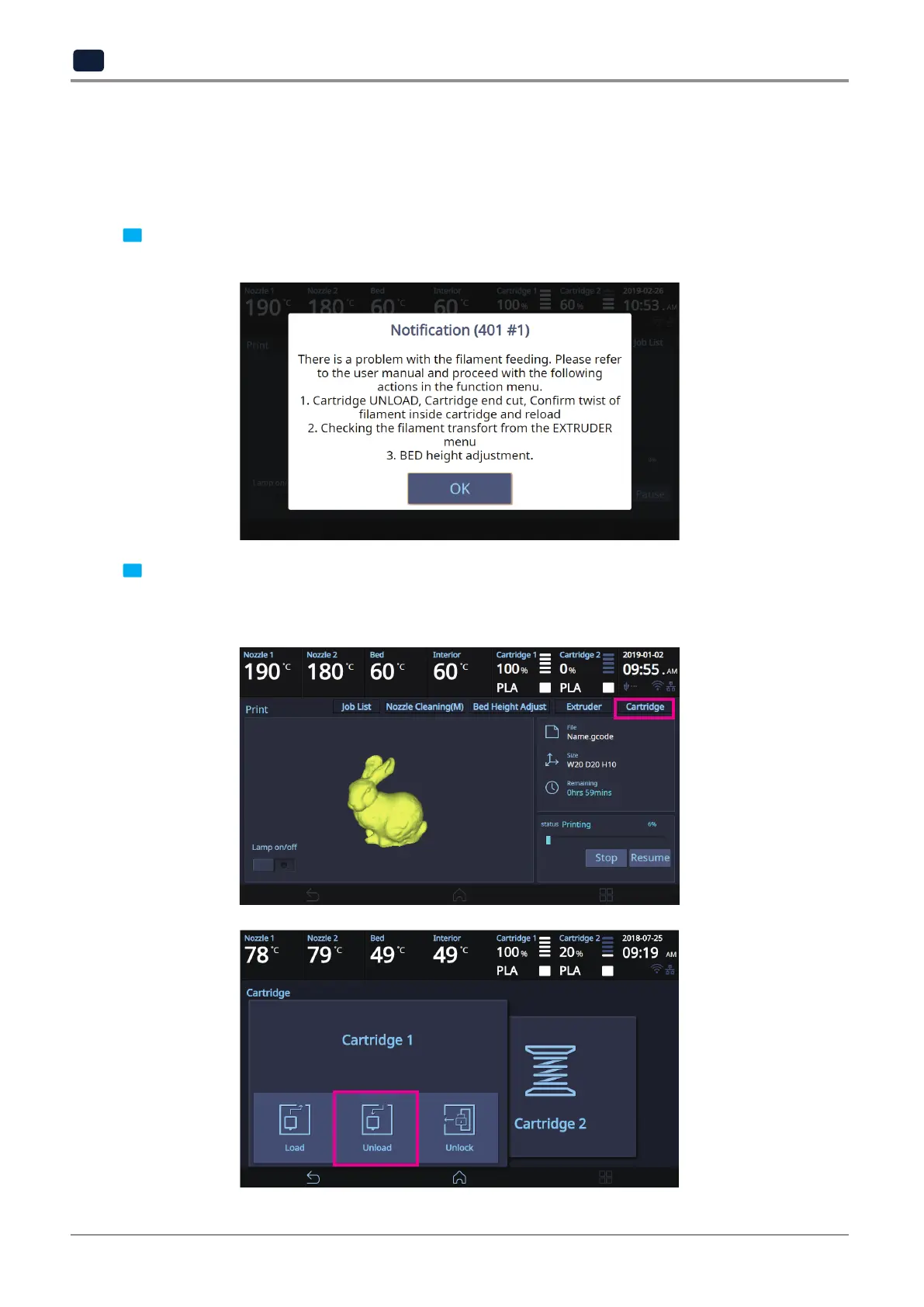
The Notification 401, 601 error code occurs if the filament was not correctly transferred.
There are many possible reasons why the filament was not properly transferred. To solve this issue, follow the
instructions below.
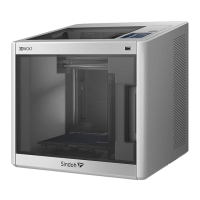
1 Press the [OK] button to move the printing screen. Then, press the [Pause] button followed by the [Function]
button located on the top of the screen.
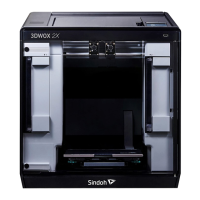
2 Select and unload the cartridge with the same number that the notification 401, 601 was detected.
Remove the cartridge from the printer.
Open the cartridge and check if the filament is tangled.



 To Next Page