2-43
UI Menu Function
2
OPEN MATERIAL
The OPEN MATERIAL enables the usage of a third-party filament without any cartridge and smart chip.
In the cartridge mode, the filament is automatically loaded and unloaded in optimal conditions, with our filament and
smart chip. On the other hand, the OPEN MATERIAL requires some manual operations by users for loading and
unloading the filament.
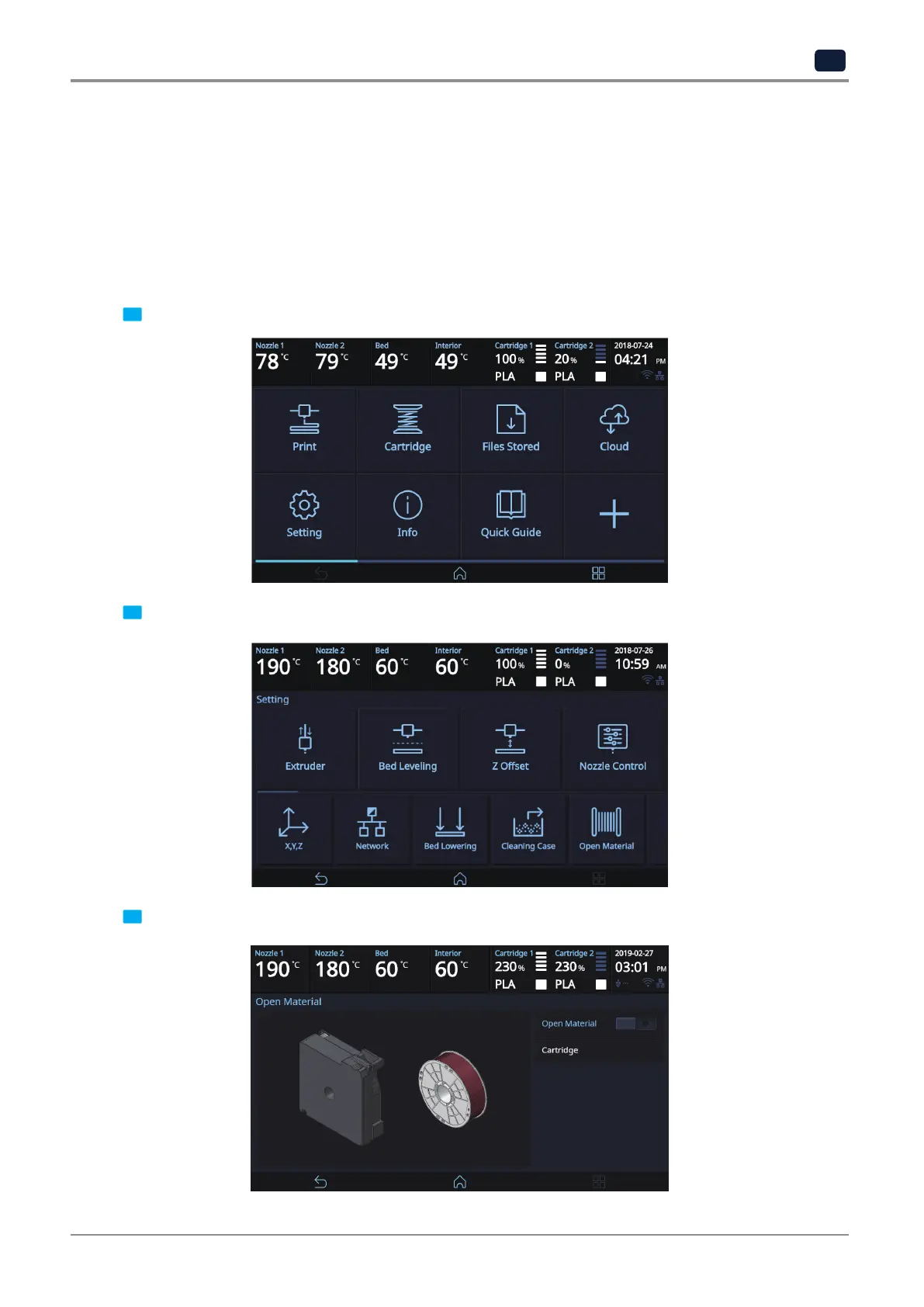
To use the OPEN MATERIAL, change the machine settings in the following procedure. Then, follow the UI guide to
load the filament.
1 Press the [Setting] button on the home screen to access the settings.
2 Press the [Open Material] button to access the open material screen.
3 Press the [Open Material] button to set the open material.



 To Next Page