Appendix
6-4
6
3
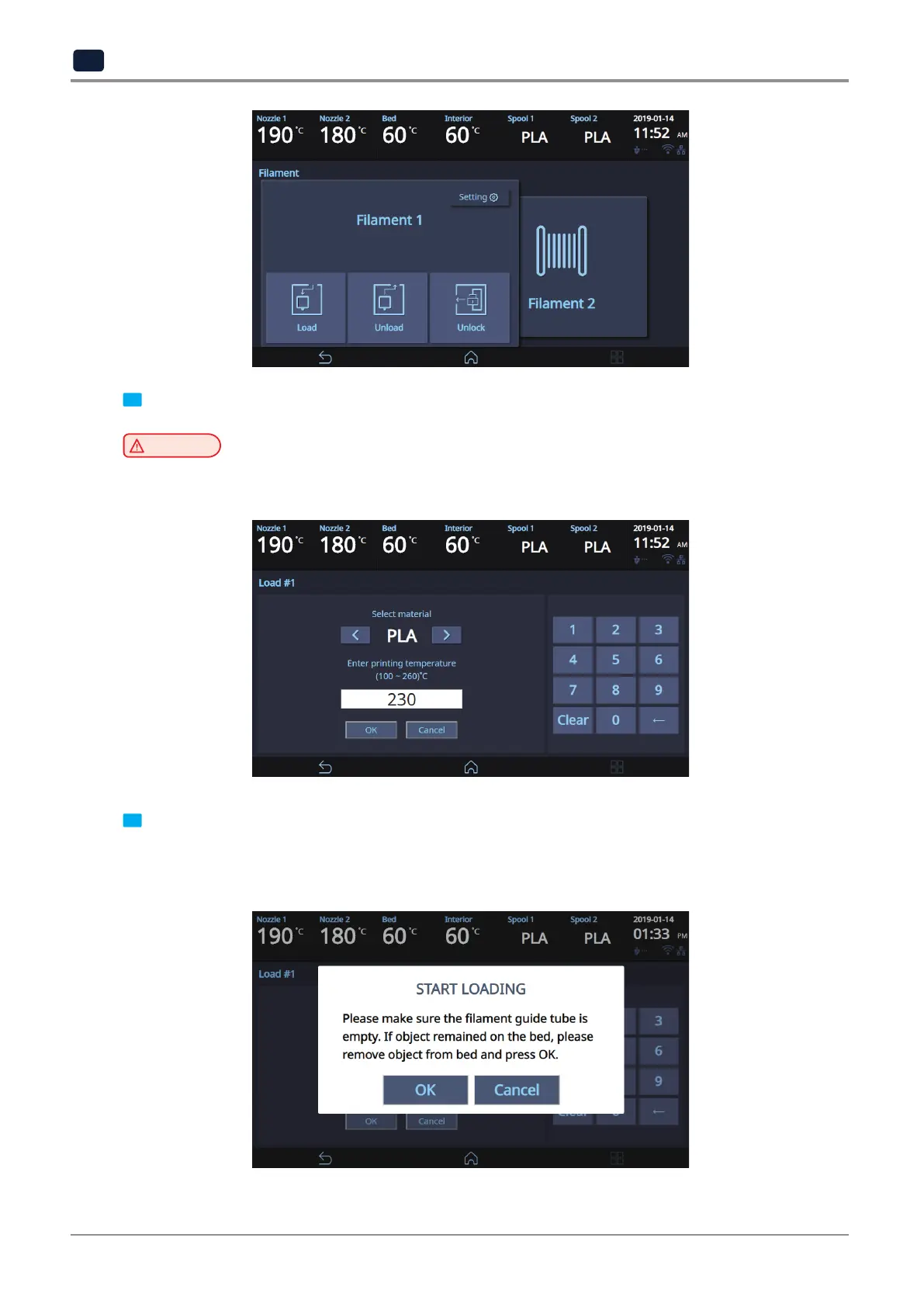
Enter the material and output temperature of the filament, then click
[OK]
.
Caution
-
If the material and temperature are entered incorrectly, the machine may be damaged during
the loading process.
4
After confirming that you will run cartridge loading, clicking
[OK]
will run filament loading.
When the temperature reaches the specified target value, push the filament in fully through the front entry, then
click [OK].
Filament loading will run automatically, and upon completion, it will automatically return to the Home window.



 To Next Page