Sewing Machine: Won't turn on
A power supply failure, bad outlet cord or a failed On/Off switch can prevent the sewing machine
from powering up.
Check the power supply first. Plug a lamp or other small appliance into the electrical outlet that
you’re using for the sewing machine to make sure the outlet works. If the electrical outlet is
dead, reset the house circuit breaker for the outlet. If the outlet still doesn’t work, try using a
different outlet to power the sewing machine.
If the electrical outlet is okay, unplug the sewing machine and check the outlet cord for damage.
Replace the cord if it’s damaged.
If the outlet cord is okay, check the On/Off switch for continuity using a multimeter (with the
sewing machine still unplugged). With the switch turned to the "on" position, the meter should
measure near 0 ohms of resistance through the On/Off switch. If the meter measures infinite
resistance, replace the On/Off switch because it’s preventing the sewing machine from getting
power.
These repairs may help solve your Sewing Machine
problem:
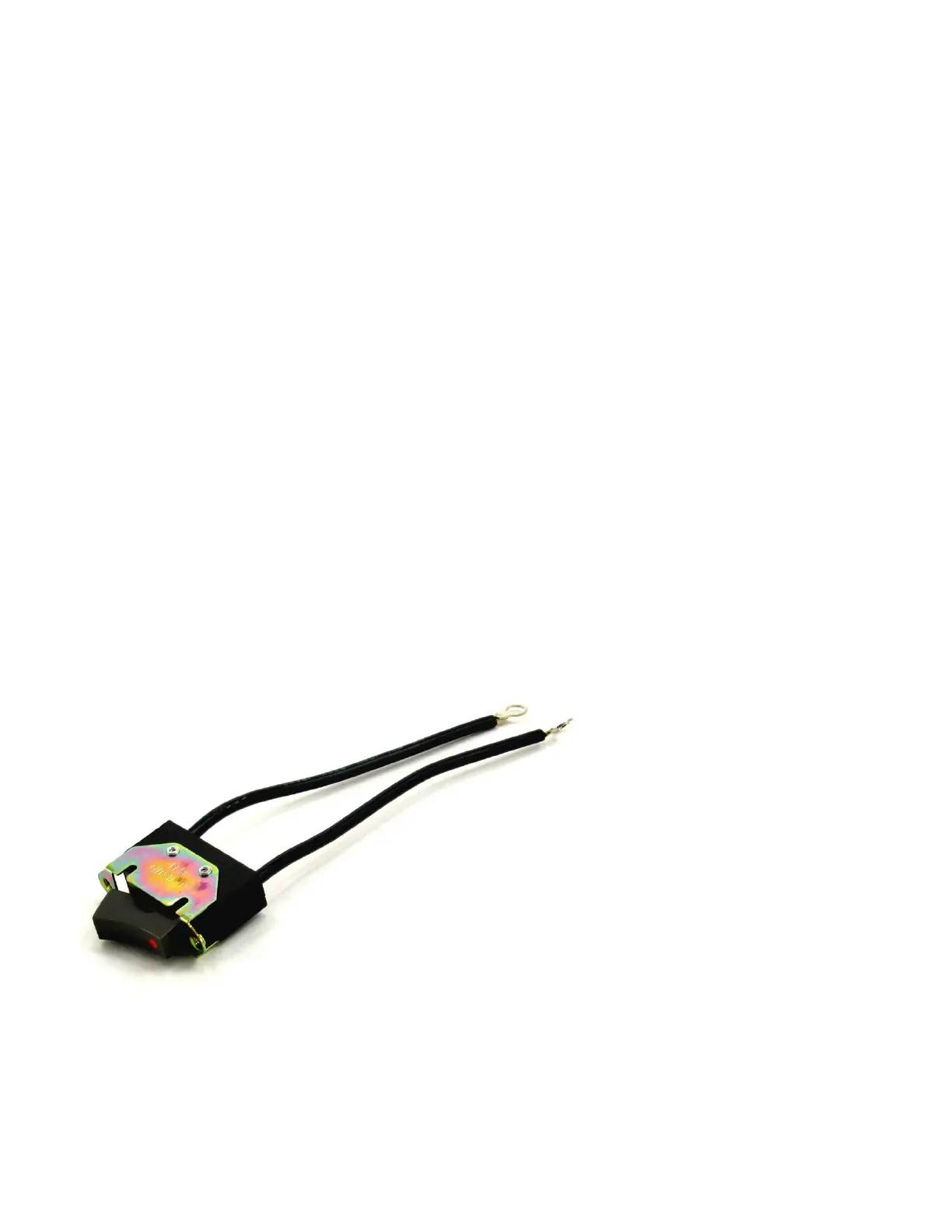
Replace the sewing machine On/Off switch
The On/Off switch turns on the work light and sends power to the foot pedal. Unplug the sewing
machine and check the On/Off switch wiring if the light switch doesn't work. Replace the on/off
switch if it's defective.



 To Next Page