21
Setup of the computer in PSW 2.00a program
6. Open a design from the Library in the PSW as a “test” design.
7. Click on File. Select the option Transmit to machine.
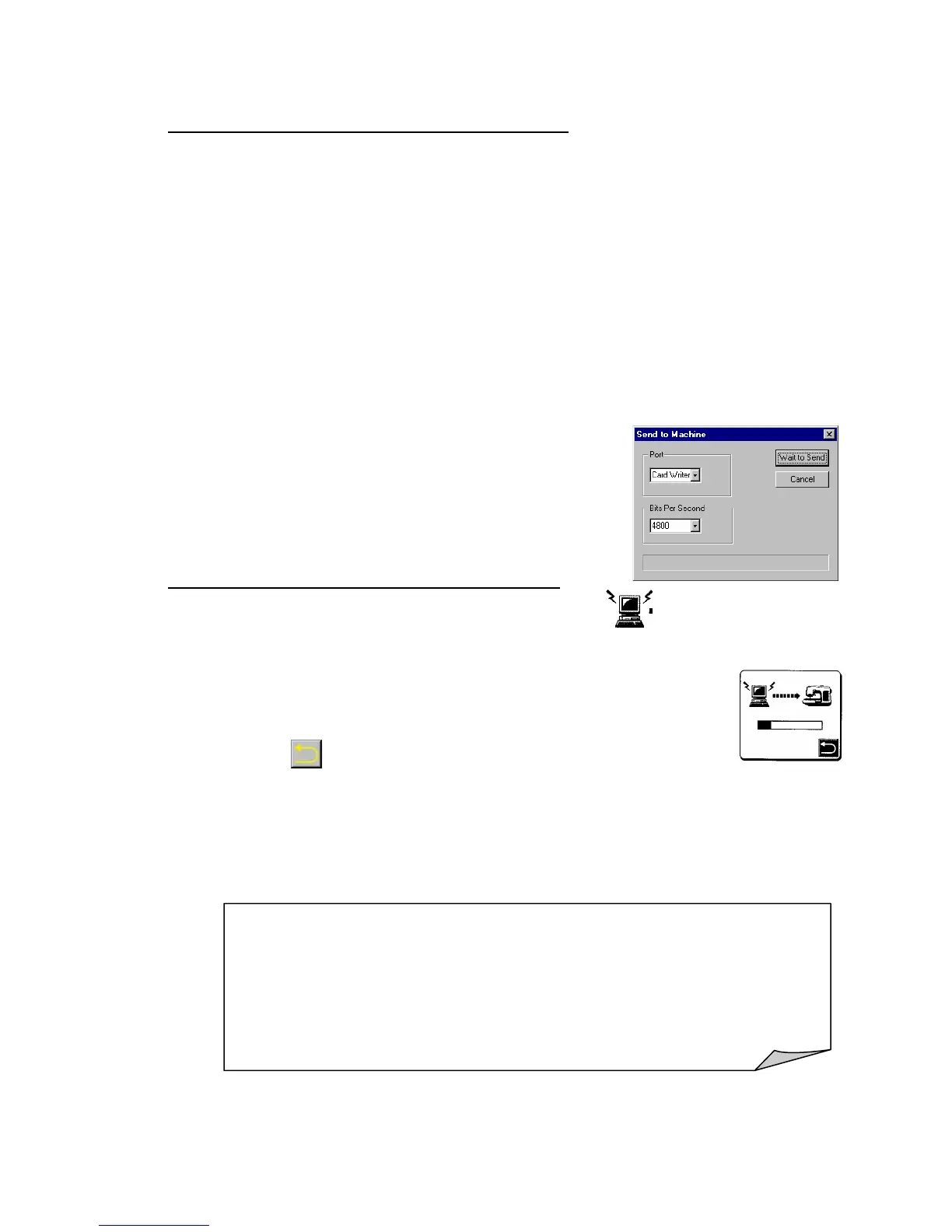
8. Dialog box Send to Machine:
• Select Port.
• Setup 1) Card Writer (connected via the converter).
• Setup 2) COM Port # used on the PC (connected directly to PC).
• Select the Bits per second value for the PC of 38400.
To transfer data from PC to Quantum
®
XL-6000 the same transfer rate must be
selected.
9. Click on Wait to Send.
10. Setup of the computer is done.
Transfer data from PC to Quantum
®
XL-6000
11. On help screen in Quantum
®
XL-6000 touch pictogram (upper left
hand corner).
12. Computer to sewing machine. Data being transferred from
one to the other.
13. Touch
to get out of help screen.
14. Design transferred will appear on the LCD screen of the Quantum
®
XL-6000, ready to be used like any built-in designs.
NOTE:
• Setup of Quantum
®
XL-6000 and computer only has to be done
once.
• If the design does not transfer at the “rate” selected.
• Change selection in the Quantum
®
XL-6000 and the computer to a
different number.



 To Next Page