3
TOOLBARS & ICONS
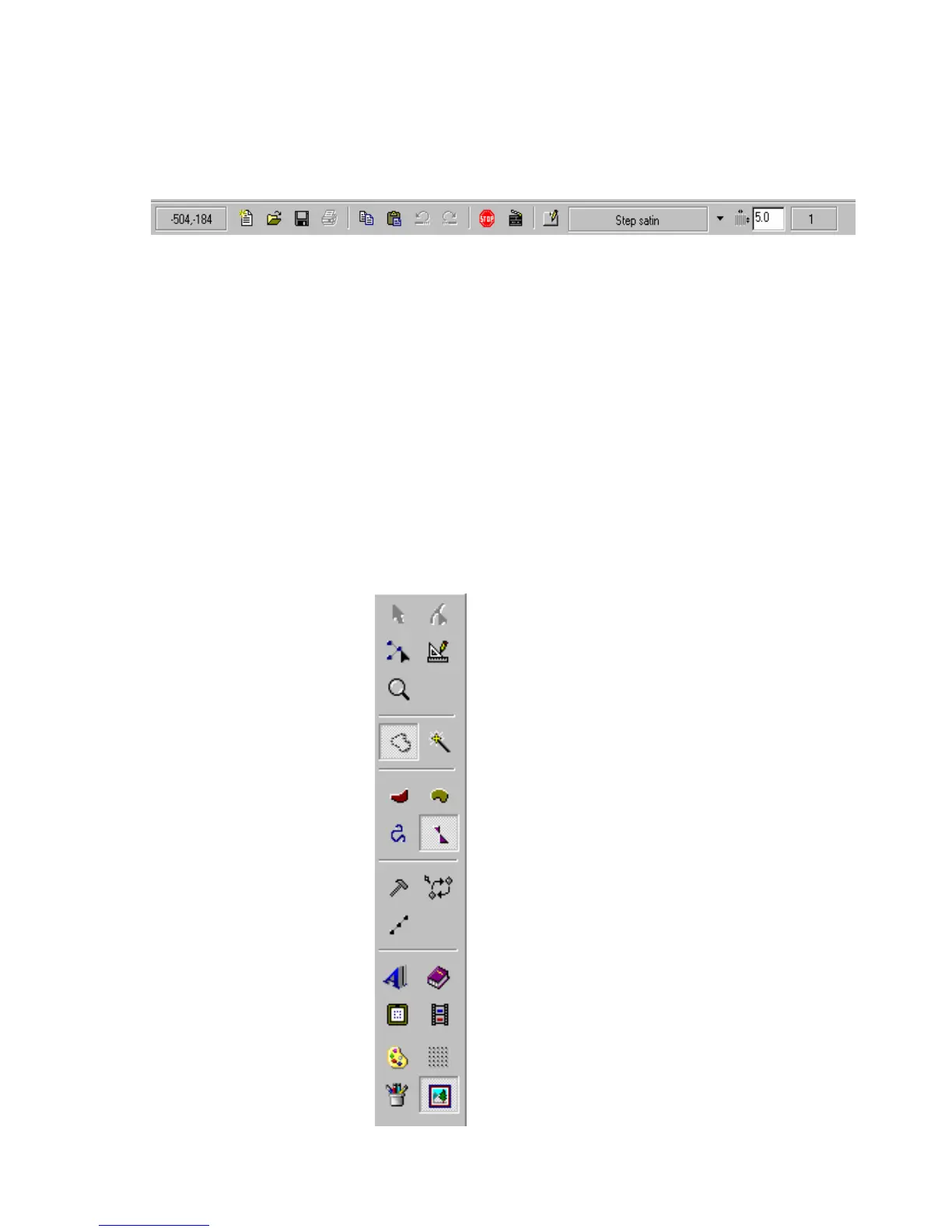
HORIZONTAL TOOLBAR ICONS (from left to right)
1. Coordinates – displays current mouse position in relationship to the left top corner of the
screen
2. New
3. Open
4. Save
5. Print
6. Copy
7. Paste
8. Undo – undo a step or function
9. Redo – redo a step or function
10. Next Color – to insert a color stop
11. Realistic View
12. Properties – for selecting stitch type and defining respective parameters
13. Stitch Type
14. Density/Size – displays density or stitch length value
15. Number of Stitches – displays current number of stitches in the active design
VERTICAL TOOLBAR ICONS
Select Edit
Stitch Edit Ruler
Zoom
Manual Input Magic Wand
Branches Outline
Running Stitches Complex Fill
Manual Stitch Mode Manual Jump Mode
Manual Step Mode
Lettering Library
Hoop Embroidery Simulator
Stitch Colors Grid
Draw Show Image
1 2 3 4 5 6 7 8 9 10 11 12 13 14 15



 To Next Page