1
CONVERTER BOX
CONVERTER AS STAND-ALONE DEVICE
The Converter can be used as a stand-alone device (no connection to PC), with the
ability to transfer data between cards. The Converter can copy from / to the following
types of SINGER
®
cards:
CARD NAME ALSO KNOWN AS QUANTUM
®
MACHINE MEMORY
SmartMedia Card XL-5000, XL-6000 8 to 128 MB
Flash Card
PSW
Original Design Card
XL-150, 1000 512KB
RAM Card
Pictall / SJ-1 Scanner
Card
XL-100, 150, 1000 512KB
ROM Card
Singer
Embroidery Card
#1, 2 ----- 20
XL-100, 150, 1000
#I, II ----- X
XL-150, 1000
512KB
LIGHT INDICATORS ON CONVERTER BOX
1. Power indicator - Converter is plugged in.
2. Transfer indicator - Converter is transferring data when flashing.
3. CANCEL - Press to terminate a procedure before removing card.
4. Press to copy data from SmartMedia Card to SJ-1 (Pictall Card).
5. Press to copy data from SmartMedia Card to Flash Card.
6. Press to copy data from SJ-1, Flash or Embroidery cards to SmartMedia Card.
PSW 2.00a SOFTWARE WITH CONVERTER
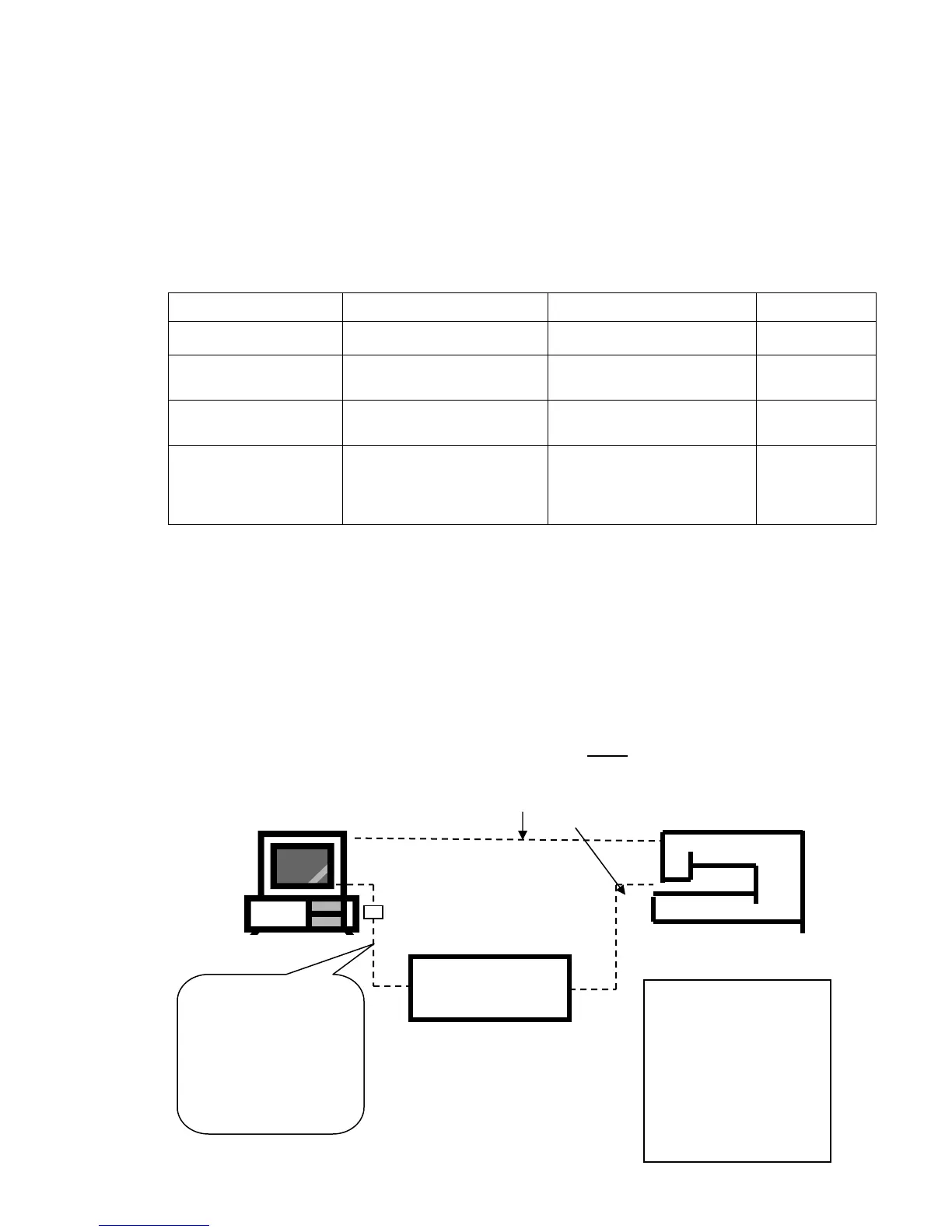
To operate the PSW 2.00a program the Converter must be connected to the PC.
PC PSW cables Quantum
®
XL-6000
Connections: # 1 or # 2
PSW
Converter
If the computer
does not have a
Serial Port – use of
the USB Port is
possible with a
“USB to Serial Port
converter”
CONNECTIONS:
# 1:
PC to Converter
PC directly to
Quantum
®
XL-6000
# 2:
PC to Converter
Converter to Quantum
®
XL-6000



 To Next Page