Quantum
®
XL-6000
Automatic Threading
- 8 -
Automatic Threading in Regular Sewing Machine Mode:
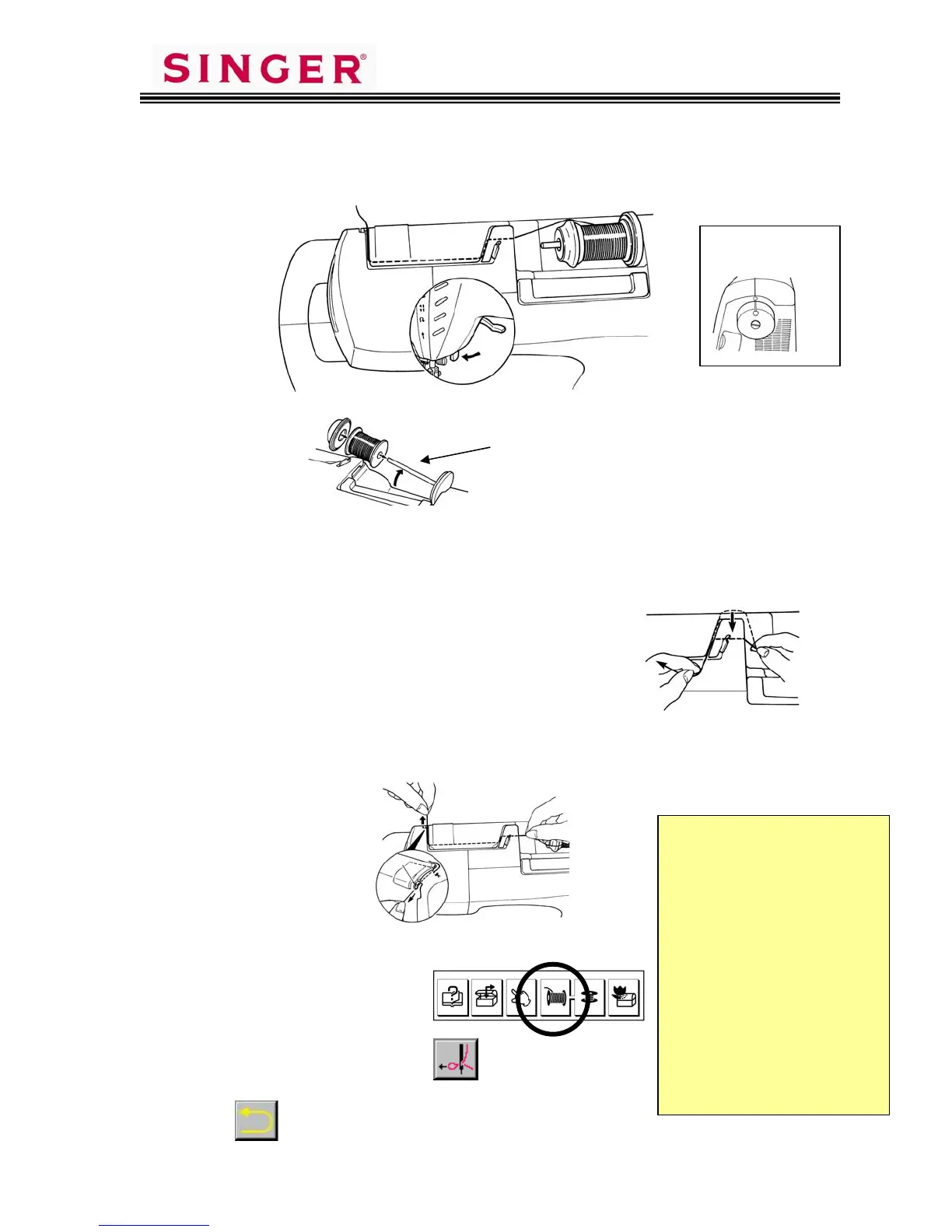
1. Place the spool of thread and Spool Cap onto the spool pin.
Horizontal Spool Pin
2. Use both hands to pull the thread into the primary thread guide.
Note: This thread guide is only used with the horizontal spool pin.
With the Auto Thread Exchanger
™
you must use the guides
specifically designed for use with the Exchanger.
3. Hold the thread in your right hand and thread the top of the machine along
the groove. Pull it in the direction of the arrow and cut it with the thread
cutter blade A.
4. Lower the presser foot lifter.
5. Touch the “thread” key.
6. Touch the needle pictogram
7. Touch to return to active screen.
Align mark on
handwheel with
mark on machine.
It is strongly
recommended that
you use name brand
high quality thread
with the Quantum
®
XL-6000. High
quality thread
performs better and
does not leave as
much lint and debris
in the threading and
sewing mechanisms.









 To Next Page