Quantum
®
XL-6000
Auto Thread Exchanger
™
- 25 -
Automatic threading of the machine during embroidery.
See pages 13 and 14 for threading and basic semi-automatic operation of the
Auto Thread Exchanger.
H5-
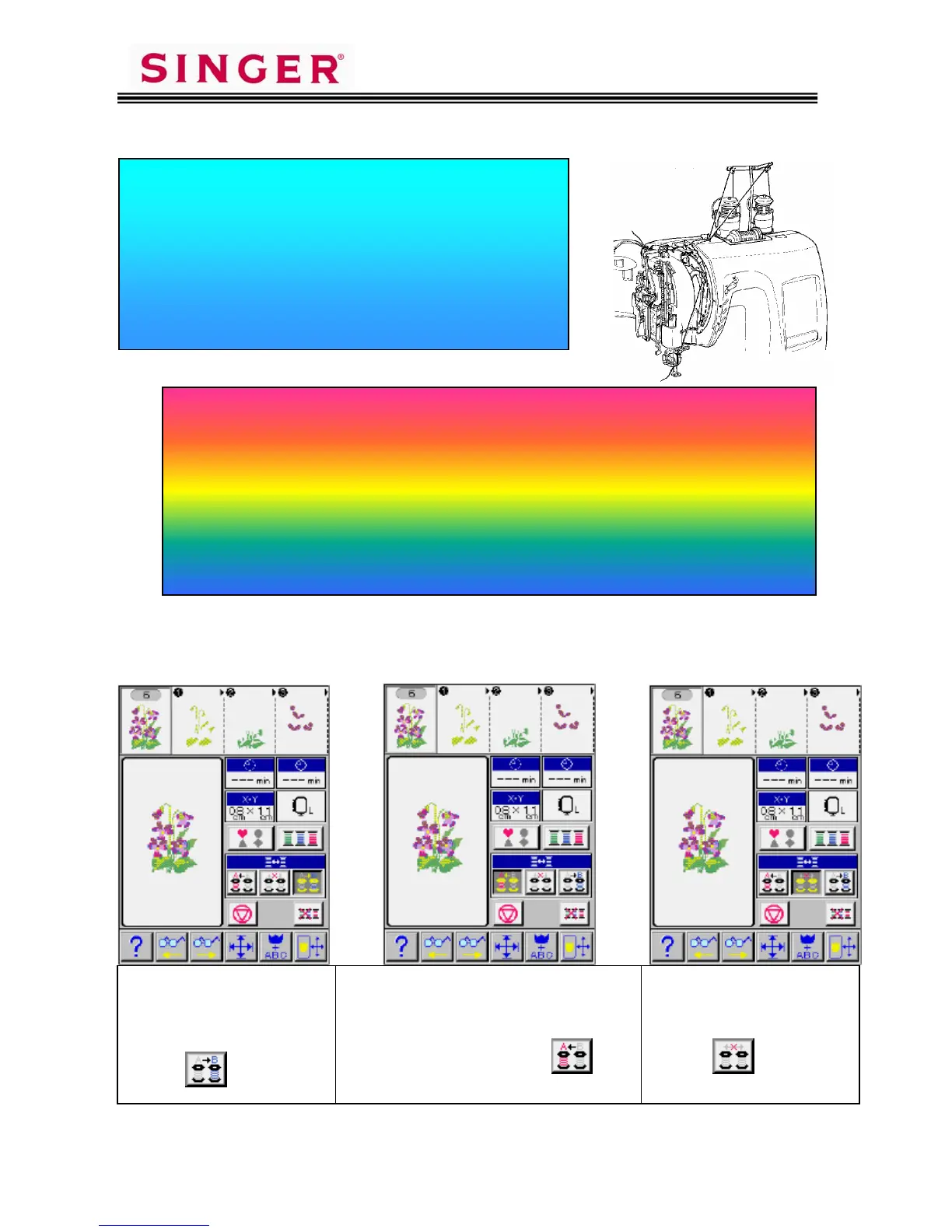
Hint: Highlight the button on the same side as the next thread color to be sewn.
When the sewing machine is set up in the
automatic rewind mode, the Auto Thread
Exchanger
™
automatically rewinds the
Color 1 upon completion of stitching.
Color 2, already set up on the Auto Thread
Exchanger
™
, will automatically thread
itself and begin stitching.
While Color 2 is stitching, Color 3 may now be set up on the
Auto Thread Exchanger
™
, where Color 1 was.
Color 2 will automatically rewind when stitching has completed,
and automatically thread Color 3.
While Color 3 is stitching, Color 4 can be set up in the place
where Color 2 was.
This
rocedure can be used for the entire embroider
desi
n
At the time of threading both
spools or before sewing is
complete with first color “A”,
to achieve Fully Automatic
Thread Exchange, you must
touch
pictogram.
After machine has exchanged Spool “A”
for Spool “B” and has started to sew,
remove used Spool A and replace it with
next color (step).
Stage thread and touch
pictogram for Auto Thread Exchanger
™
.
If you wish to manually
perform threading or operate
the Auto Thread Exchanger
™
semi-automatically,
touch
pictogram.









 To Next Page