Quantum
®
XL-6000
Pictograms on the Embroidery Screen
- 28 -
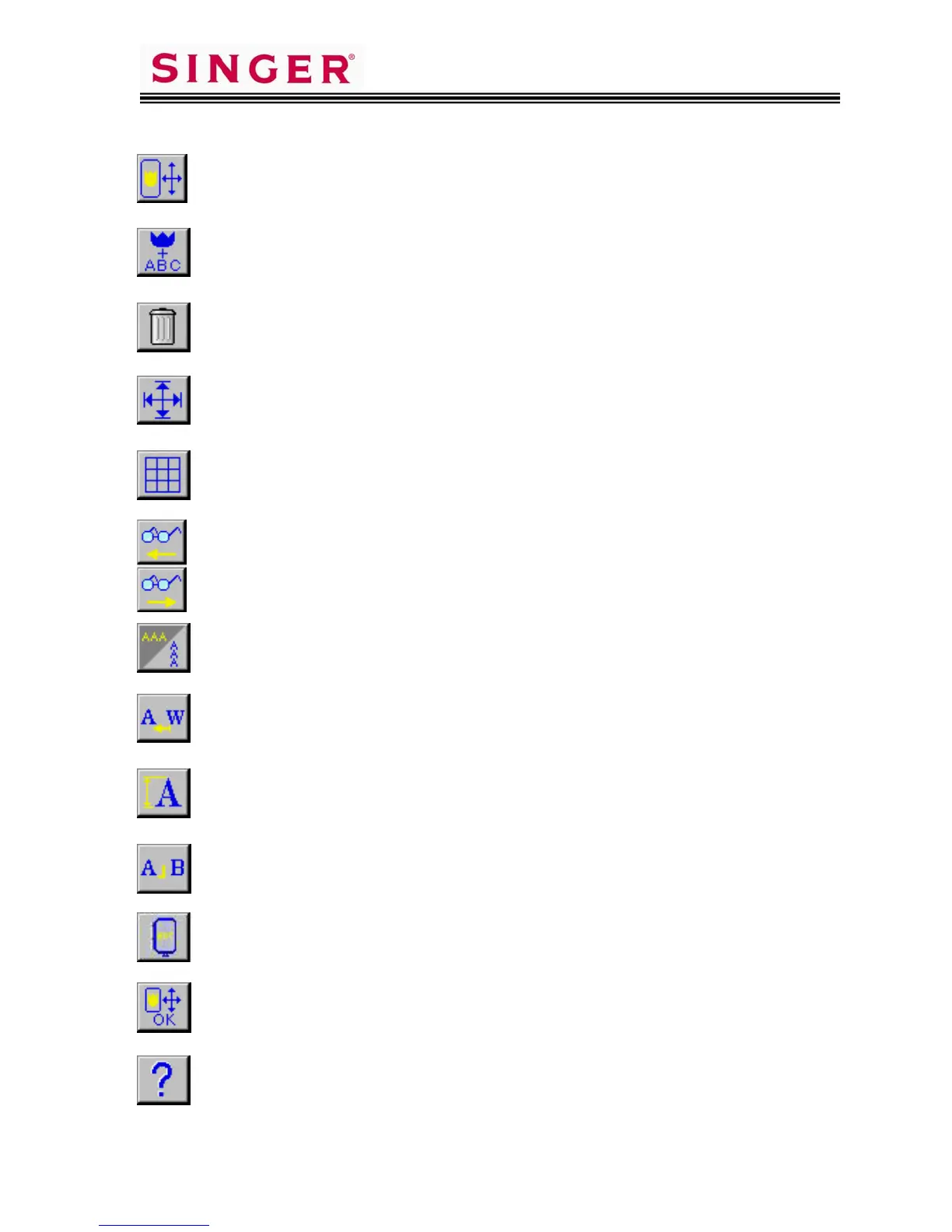
Used to activate the Layout Screen, or return to Layout Screen.
Used to Combine patterns in a Single or Multiple Hooping.
Used to delete an individual pattern or letter. Clears all entered designs
or letters when pictogram is touched for 5 seconds or longer.
Used to move the embroidery carriage to check sewing area.
Used to add a Layout Grid that aids in design placement.
Used to review design elements, which display across the top of the
screen. Also used to select a particular design element to be edited.
Used to set letter orientation to read across (as normal), or vertically
with letters aligned one above the other.
Used to activate “Kern Function” to decrease interval between Kern
Combinations of letters such as A F J L P T V W Y.
Used to change letter size.
Used to divide letters into groups such as next line of text.
Used to set orientation of lettering from reading and sewing Portrait or
Landscape within the hoop.
Used to finish entering design elements and editing, and preparing to
sew.
Used to access the Move Carriage function and Correction Function.
Correction Function is used for backing up/advancing stitches.









 To Next Page