Quantum
®
XL-6000
Wind-in-Place Bobbin System
™
- 10 -
The Wind-in-Place Bobbin System
™
feature is for
regular sewing mode only, as it winds the bobbin from
the top spool directly to the bobbin. The Endless
Bobbin
™
feature is for Embroidery Sewing.
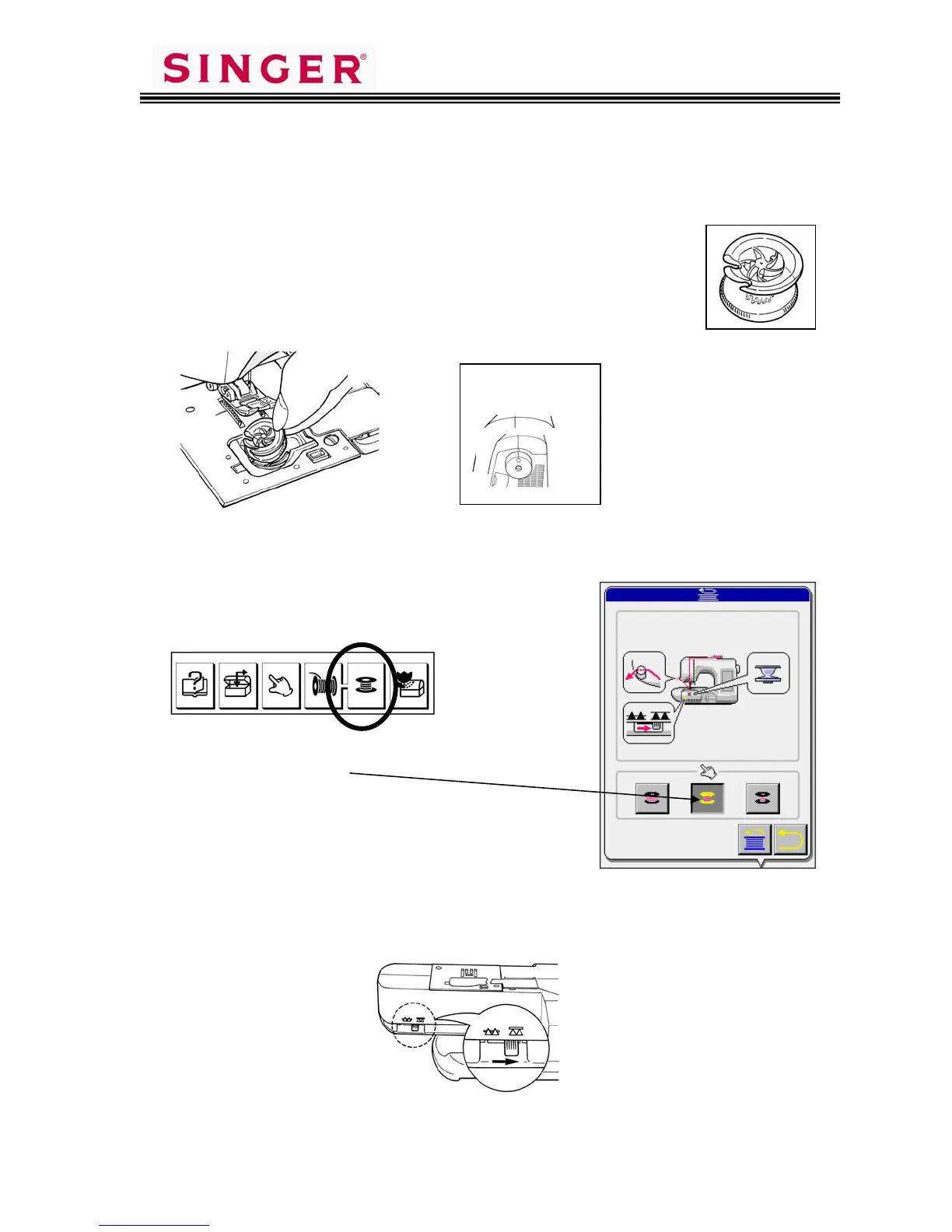
1. Remove the bobbin cover.
2. Load an empty special bobbin and replace the cover.
3. Place the Standard “A” foot on the machine.
4. Thread the machine for regular sewing.
5. Press the “bobbin” key.
6. Select the amount of thread to be wound
on the bobbin.
7. Move the drop feed lever to the right to lower the feed dogs.
Be sure to use the
special bobbin
shown. The machine
cannot perform the
automatic bobbin
winding without this
special bobbin.
Align mark on
handwheel with
mark on machine.









 To Next Page