Quantum
®
XL-6000
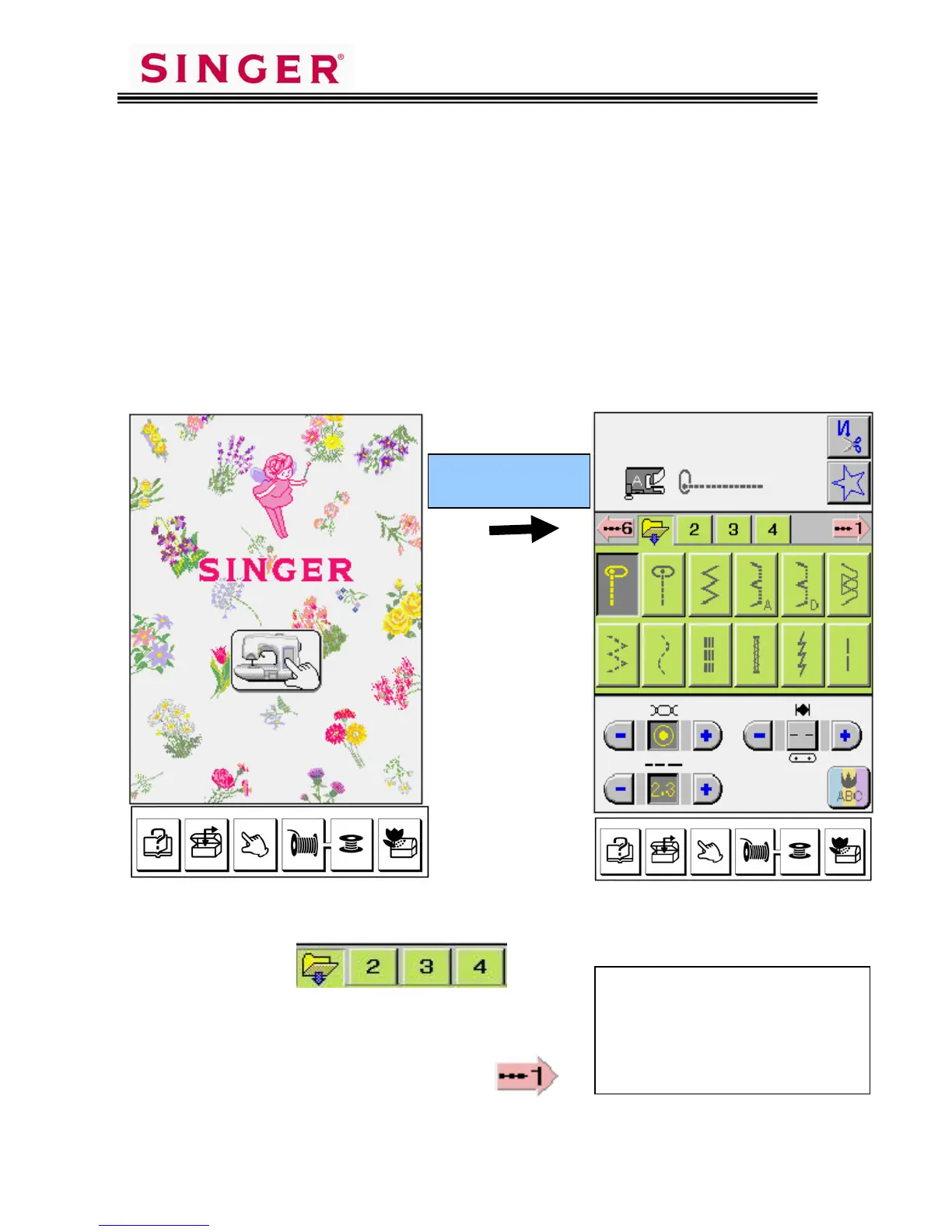
Pattern Category Screens
- 3 -
The Quantum
®
XL-6000 has a 256 color 3-D appearance LCD screen. All
commands are input with a light touch on the LCD Screen.
Do not press on the screen*.
The Utility Patterns are provided on four different screens.
Touch the file folder pictograms to access the four “Utility” screens (green).
Touch the numbered arrows to access
the “Continuous Pattern” screens (rose).
Initial Screen First Utility Screen
Touch lightly on
screen
* If the Pictograms do not line up
directly under your finger please
refer to the 4-Point Adjustment
Procedure detailed on Page 25 of
your Instruction Book.









 To Next Page