KNOWING YOUR SEWING MACHINE
14
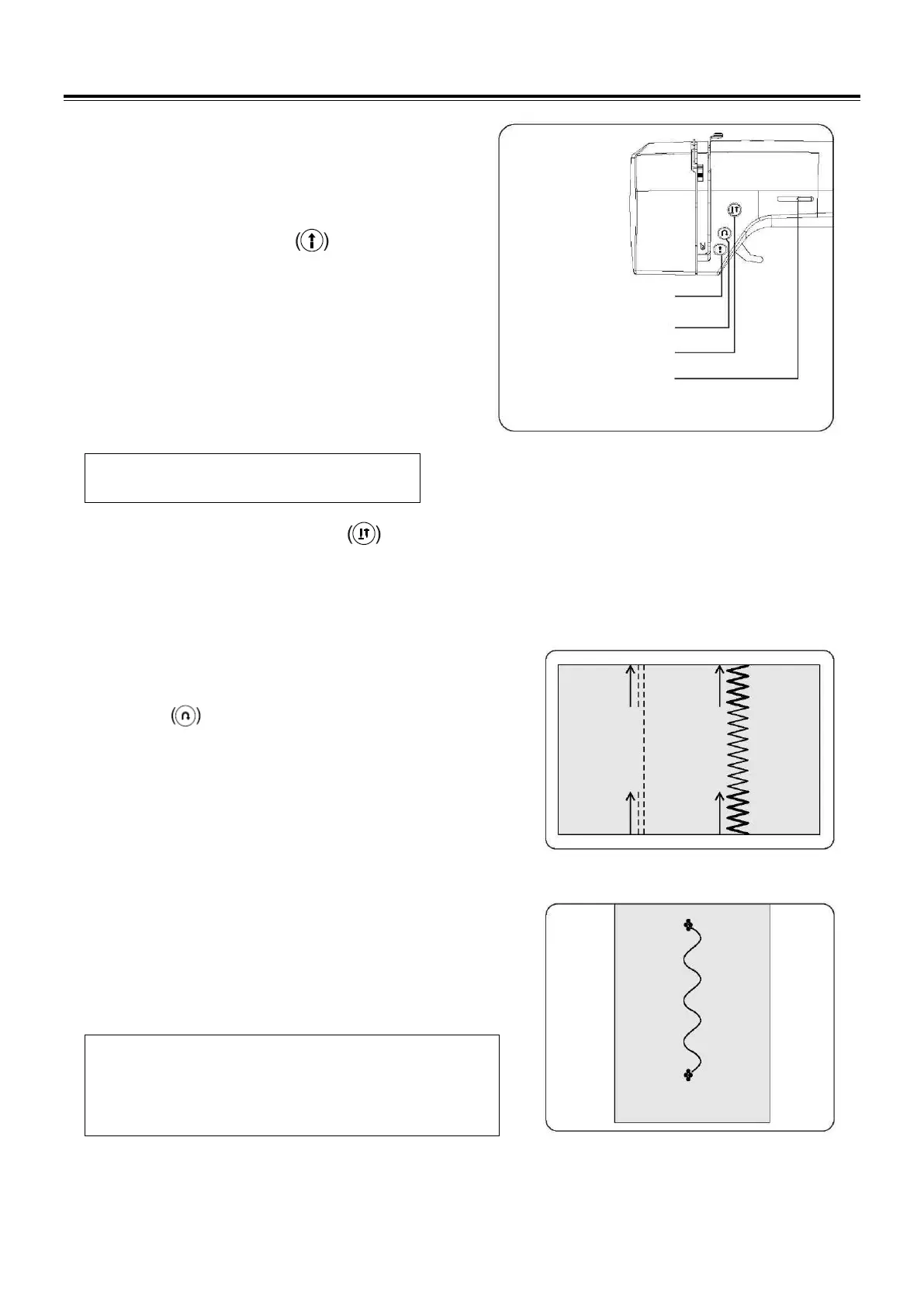
OPERATION BUTTONS
The operation buttons help you to easily perform various
basic sewing machine operations.
START/STOP BUTTON
When sewing without having the foot control connected, the
machine starts slowly when the start/stop button is pushed.
When it is pushed again, needle moves and stops at its
highest position.
When using foot control, simply press foot pedal with your
foot until you reach a slow even speed. The harder you
push, the faster the machine will sew. Release pressure on
foot pedal to stop the machine.
NOTE: When foot control is connected,
start/stop button cannot be used.
NEEDLE UP/DOWN BUTTON
Press the needle position button to raise or lower the
needle.
Pressing the button twice sews one stitch.
DUAL PURPOSE REVERSE/TACKING STITCH
BUTTON
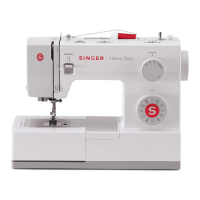
Reverse stitch function for straight and zigzag stitches
Reverse sewing is carried out while the reverse stitch button is
pushed.
The machine will continue to sew in reverse as long as the
reverse button is pressed.
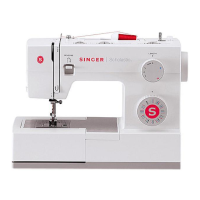
Tacking stitch function for tie-off of other stitches
The sewing machine makes 4 tiny tacking stitches to tie off the
sewing on all patterns except straight, zigzag and buttonhole
stitches. The position of the tacking stitches will be at the exact
spot in the pattern where the reverse/tacking stitch button is
pushed.
NOTE: This function is very useful for tying off the sewing
pattern to avoid raveling at the start and end of
sewing.


 To Next Page