Sinterit LISA PRO User Manual | 41
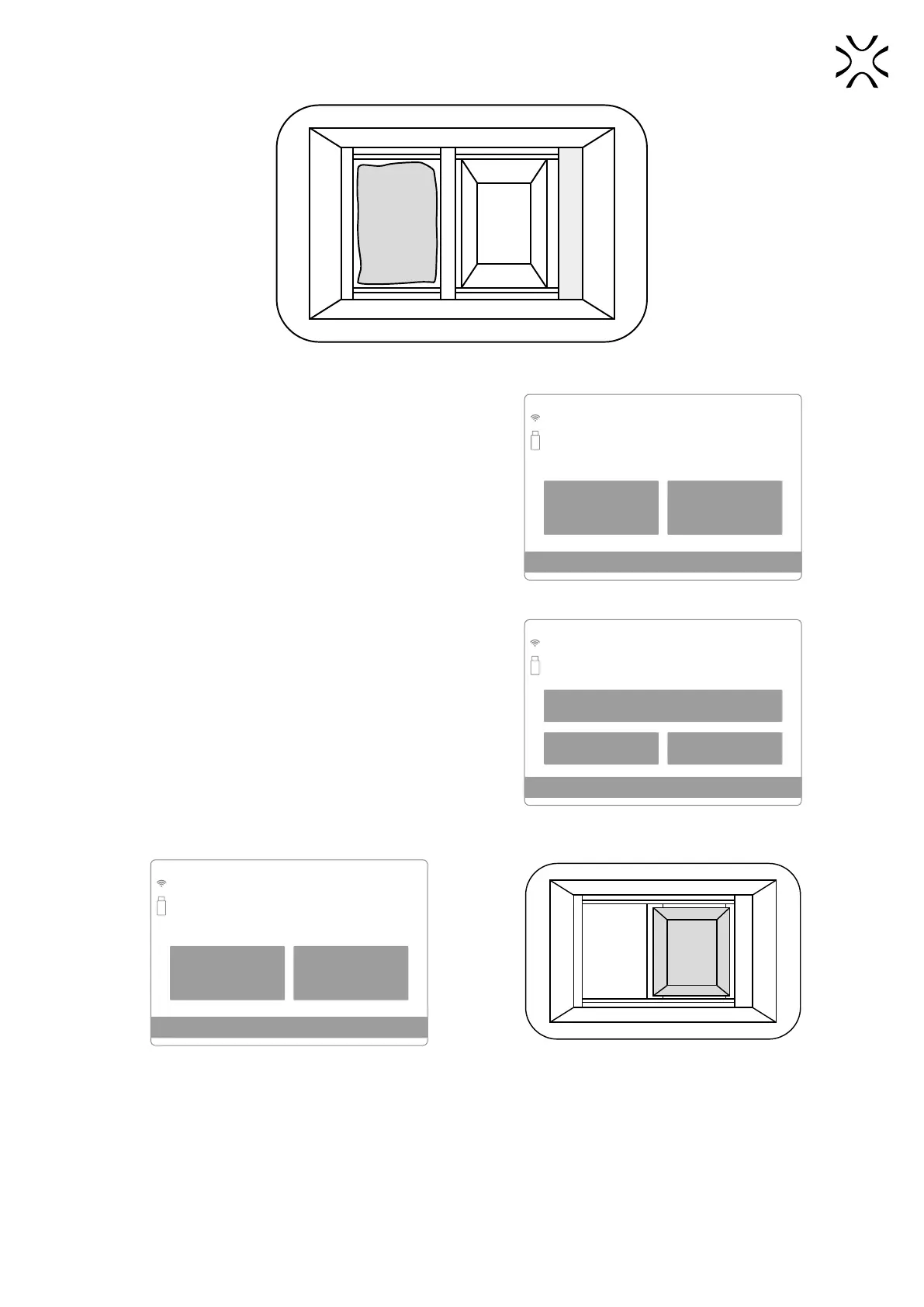
View of the Print Chamber after the positioning of Beds and Recoater - Feed Bed cleaning process.
5. Transfer all powder from Feed Bed to Print Bed.
6. Clean the space around the Beds and press the DONE
button. Use a spatula and brush to thoroughly clean the
space, especially under the Recoater guide bar.
BACK DONE
CLEANING STEP 5/8
Cleaning the Feed Bed
Clean area around the Feed Bed
Put the remaining powder into
the Print Bed
The screen of the cleaning Feed Bed.
7. Press the CLEAN PRINT BED screen to start the Print Bed
cleaning process.
• If it is clean you can skip this step by pressing the PRINT
BED ALREADY CLEANED.
8. Check that the way of the Recoater is not obstructed and
press the DONE button.
9. The positioning of the Recoater and the Beds will start. The
Recoater will go to the Feed Bed side and then the Print Bed
will move up to the top.
BACK CLEAN FEED BED
PRINT BED ALREADY CLEANED
CLEANING STEP 7/10
Cleaning the Print Bed
You can skip this step it the Print Bed
is clean
Screen initiating the cleaning process
of the Feed Bed.
BACK DONE
CLEANING STEP 7/10
Cleaning the Print Bed
Make sure that the path of the Recoater
is not obstructed
Check the Recoater’s path. View of the Print Chamber after the positioning of
the Beds and Recoater - Print Bed cleaning process.



 To Next Page